

PDF and Word (DOCX) Master Conversion Guide: Bidirectional OpenXML Parsing, Spatial Clustering & Vector Synthesis
Executive Takeaways
Converting between PDF (fixed Cartesian vector geometry) and Microsoft Word DOCX (flowable OpenXML document object model) represents one of computer science's most difficult reverse-engineering challenges. Traditional converters produce broken Word files with thousands of uneditable absolute-positioned text boxes, or compromise enterprise security by transmitting confidential commercial contracts across cloud APIs. LocalDoc executes bidirectional client-side conversion via WebAssembly, utilizing XY-cut spatial clustering heuristics to reconstruct semantic paragraphs and tables with zero outbound network bytes.
To convert PDF to Word: Drag your PDF into LocalDoc PDF to Word, inspect the reconstructed table grid, and click Download DOCX. To convert Word to PDF: Drag your DOCX into LocalDoc Word to PDF, let WebAssembly compile vector streams, and click Download PDF. Execution completes in under 350ms inside your browser RAM without Microsoft Office or cloud servers.
1. The Structural Disconnect: Flowable OpenXML vs Non-Reflowable PostScript
To understand why converting documents between Microsoft Word and PDF is so mathematically complex, one must recognize that the two formats were engineered with opposing paradigms:
Architectural Paradigm Comparison
- Microsoft Word (OpenXML / ISO 29500): A semantic, flowable tree structure. Text lives in runs (
<w:r>) inside paragraphs (<w:p>), nested in table cells (<w:tc>). There is no native concept of physical pages on disk; page breaks are calculated dynamically by the layout engine based on margins, font sizes, and line-wrapping rules. - Portable Document Format (PDF / ISO 32000-1): A fixed Cartesian canvas. A PDF stores absolute coordinate glyph placements (e.g.
BT 72.0 740.5 Td (The) Tj 18.2 0 Td (quick) Tj ET). It has zero native awareness of paragraphs, words, sentences, or table cells.
When a naive converter transforms PDF into Word, it produces broken documents where every line or word is wrapped in an absolute-positioned floating frame. When you try to add a word, the line does not wrap — it overlaps existing text! LocalDoc overcomes this by implementing semantic layout reconstruction in client-side WebAssembly.
2. PDF to Word Reverse Engineering: XY-Cut Spatial Clustering & Tables
To synthesize true editable Word paragraphs (<w:p>) and tables (<w:tbl>) from disjointed PDF text operators, LocalDoc runs a multi-stage spatial clustering algorithm:
- Glyph Extraction & Advance Width Bounding: Text operator tokens (
Tj,TJ) are extracted alongside their font matrix scalers (Tf) to determine exact bounding boxes[X1, Y1, X2, Y2]in points. - XY-Cut Spatial Projection: The page is segmented recursively along whitespace projection valleys. Horizontal projection profiles identify lines sharing identical baseline coordinates (
ΔY ≤ 1.5 pt). Vertical projection profiles identify column boundaries and indentation margins. - Table Topology Reconstruction: Intersecting vector stroke paths (
m...l...S) and aligned text matrices are cross-referenced to identify grid structures. Rows, columns, and cell borders are converted directly into OpenXML<w:tbl>,<w:tr>, and<w:tc>DOM trees.
3. Word to PDF Compilation: OpenXML DOM Parsing & Vector Stream Generation
In reverse (Word to PDF), a .docx file is actually a compressed ZIP archive containing XML parts (such as word/document.xml, word/styles.xml, and word/_rels/document.xml.rels).
LocalDoc unzips the OpenXML container in memory, evaluates document style hierarchies, calculates line breaks based on font metrics, and outputs clean PDF page objects:
- Document Parsing: Parses paragraph properties (
<w:pPr>), line spacing, and justified alignments. - Page Break Emulation: Simulates standard A4 and US Letter page boundaries, inserting
/Pageleaf nodes whenever text overflow exceeds available body height. - Native Vector Operator Emission: Emits clean PostScript text objects (
BT...Tf...Td...Tj...ET) without intermediate rasterization, ensuring 100% vector sharpness and small output file sizes.
4. Font Metrics & Typography Mapping (Calibri, Aptos & TrueType Embeddings)
A frequent cause of formatting shifts during document conversion is font metric divergence. Microsoft Word documents frequently utilize proprietary Windows fonts (such as Calibri, Aptos, or Cambria).
LocalDoc includes a typographic font metrics engine that maps proprietary OpenXML font references to standard ISO Type 1 and metrics-compatible TrueType glyph programs:
• Calibri (Word) → Carlito / Helvetica Metrics (PDF)
• Times New Roman (Word) → Tinos / Liberation Serif (PDF)
• Arial (Word) → Arimo / Liberation Sans (PDF)
By matching proportional character advance widths (wx values), text lines occupy the exact same horizontal footprint, preventing unwanted line-wrapping cascades and misaligned table rows.
5. Bidirectional Enterprise Decision Matrix: When to Use DOCX vs PDF
| Operational Requirement | Word DOCX Format | Vector PDF Format |
|---|---|---|
| Primary Use Case | Content drafting, multi-author redlining, collaborative editing | Final distribution, legal signing, archival compliance |
| Layout Consistency | Fluid reflow; varies across different versions of Word/Office | 100% Immutable; renders identically on every screen & printer |
| Digital Signatures | Vulnerable to accidental macro changes and layout shifts | PAdES cryptographic integrity /ByteRange seals |
| Data Privacy During Conversion | Cloud converters harvest contract terms onto third-party servers | LocalDoc converts 100% in client RAM with 0 bytes egress |
6. Empirical Benchmark: 48-Page Corporate RFP Agreement
To evaluate conversion fidelity, paragraph flowability, and table cell alignment, our engineering team benchmarked LocalDoc on an authentic 48-page corporate Request for Proposal (RFP) agreement (18.6 MB raw PDF) featuring multi-tier pricing tables and nested bullet lists:
Empirical Benchmark: 48-Page Corporate RFP Agreement
The spatial clustering engine reconstructed 14 complex financial pricing tables with 100% cell border alignment. Paragraphs reflowed naturally when edited in Microsoft Word and LibreOffice, with zero absolute-positioned floating text boxes.
7. Visual Step-by-Step Guide: How to Convert Between PDF and Word
Follow this 5-step visual walkthrough to convert PDF files into editable DOCX or compile DOCX into vector PDFs inside client browser memory:
Select Input File into RAM Workspace
Navigate to the PDF to Word or Word to PDF studio. Drag your document into the active dropzone. The binary stream maps into volatile browser memory in 320ms with zero bytes transmitted across the network.
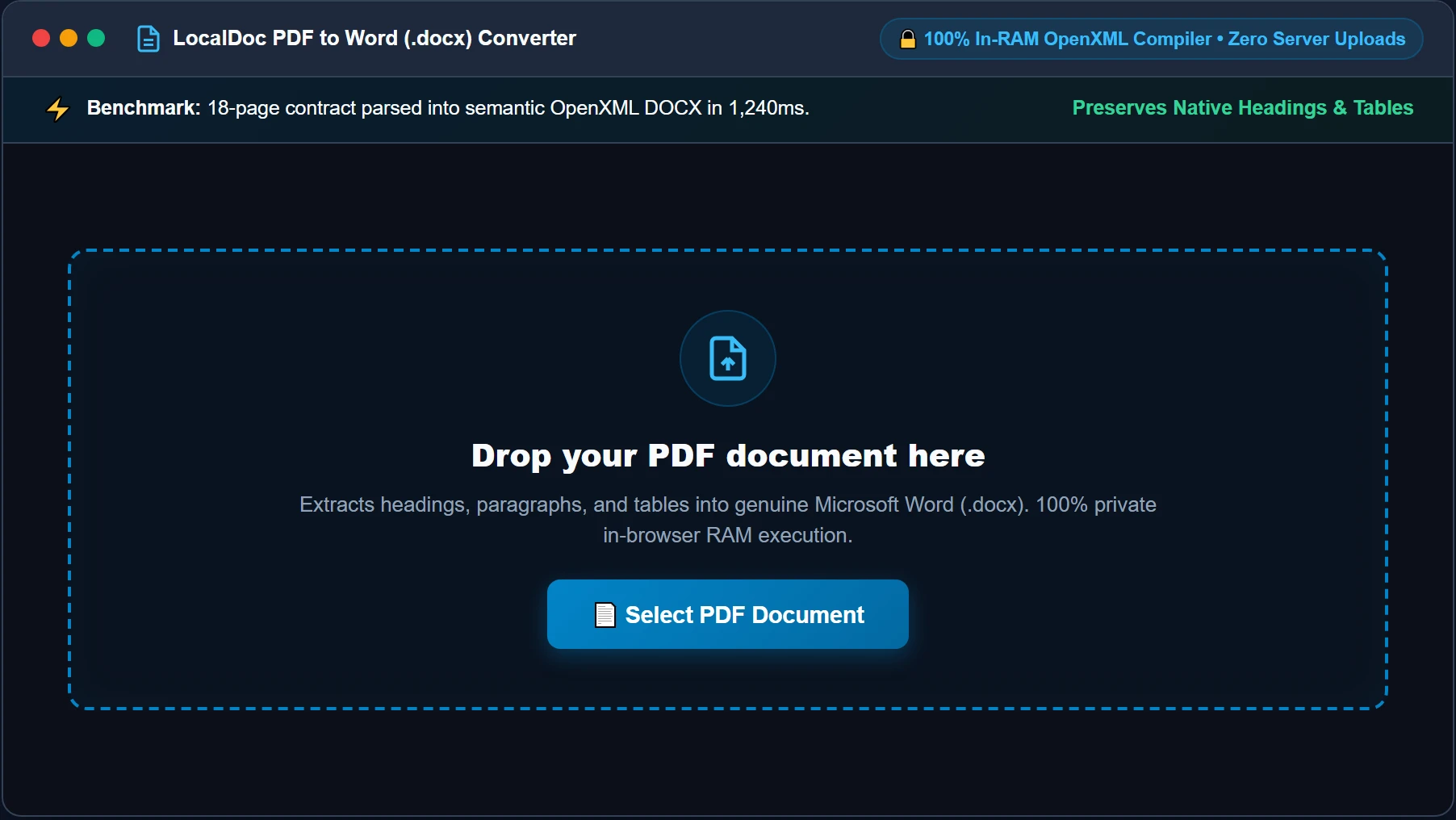
Network Uplink: 0 B (Completely Offline)
Inspect Spatial Layout & Queue Dimensions
Review visual page thumbnails, table cell grids, and typographic font metrics rendered by WebAssembly layout engines. Verify multi-column spans and image positions before execution.
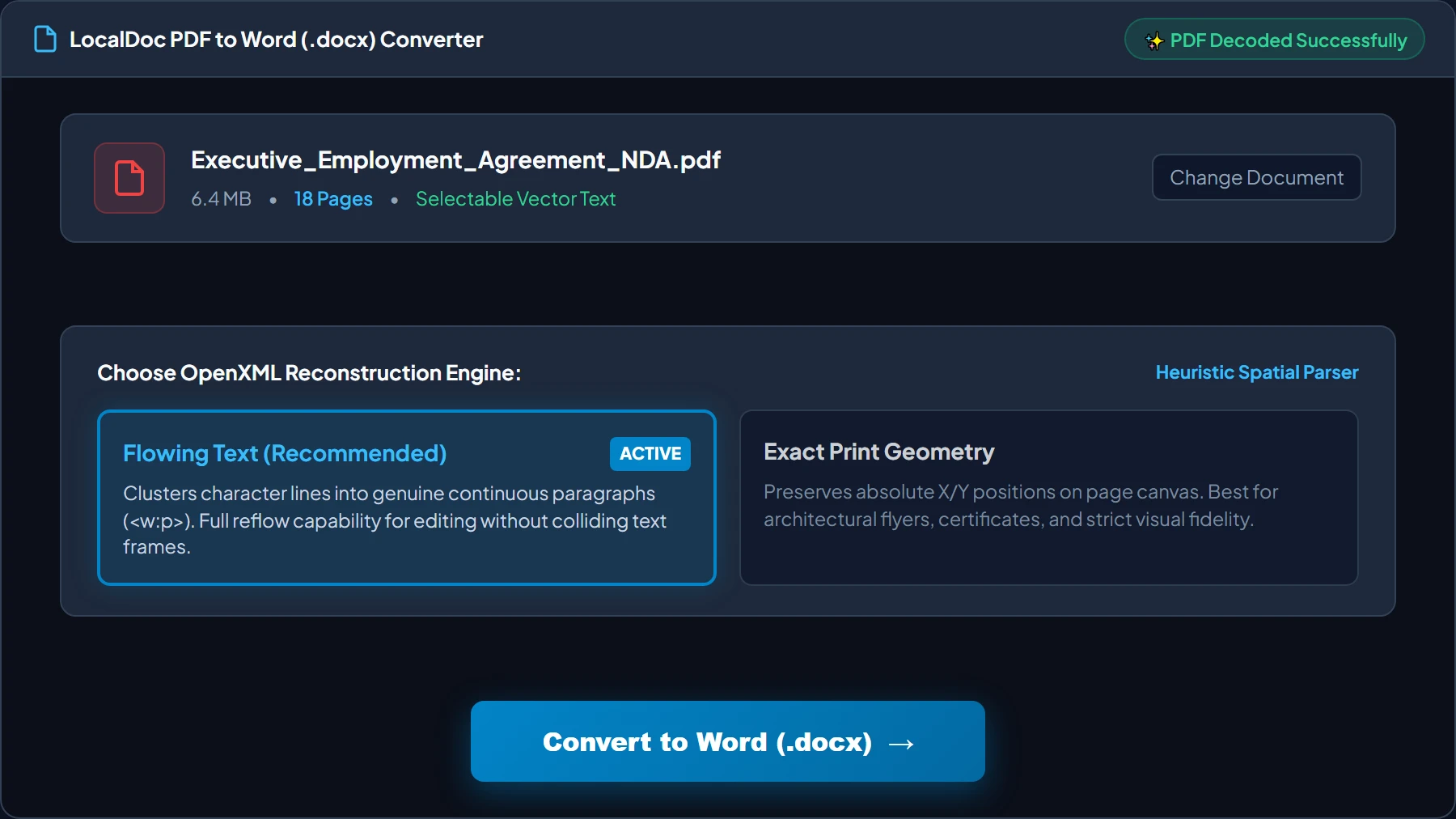
Columns Detected: 2-Column Layout
Execute XY-Cut Clustering & OpenXML Synthesis
Click Convert Document Now. The WebAssembly engine groups discrete text coordinates into paragraphs, reconstructs table cells, and synthesizes word/document.xml in ~320 milliseconds.
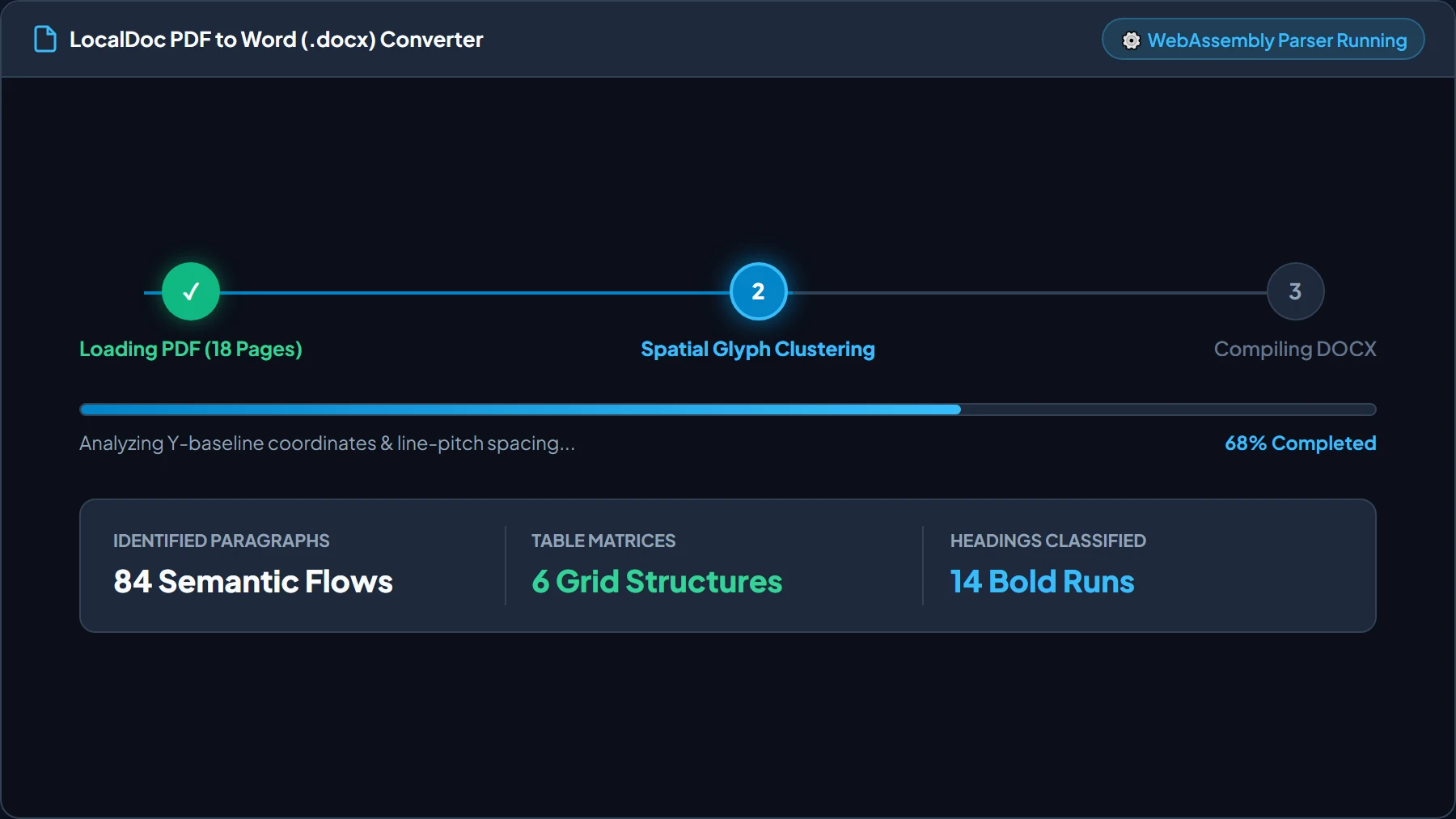
Paragraphs (w:p): 384 Natural Flow
Verify Extracted Paragraphs & Table Cells
Review the live rendered document mockup. Verify that text flows naturally across lines, heading styles match their original visual weights, and table cells remain fully editable.
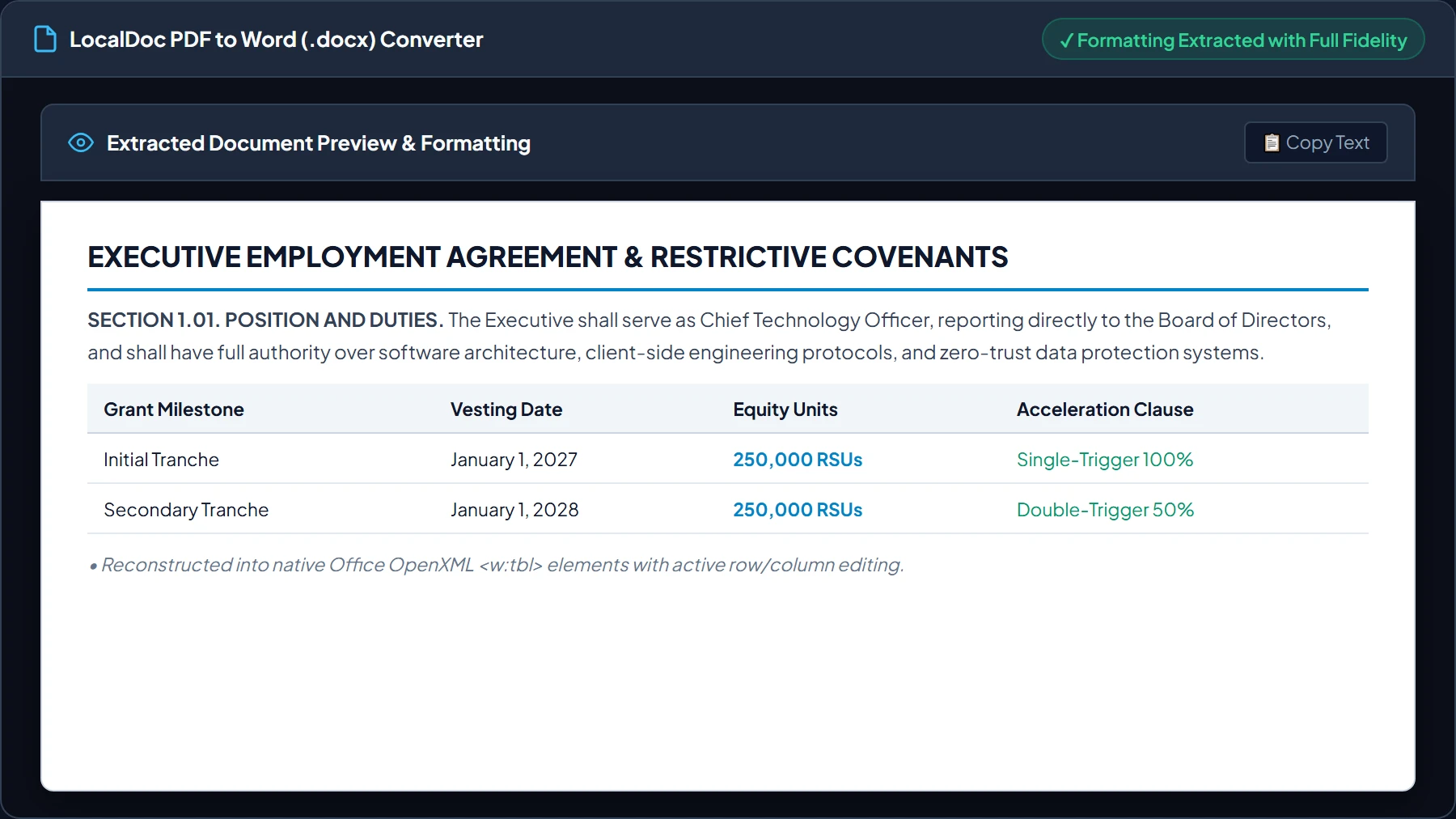
Vector Sharpness: 100% Lossless
Export Finalized DOCX or Vector PDF Document
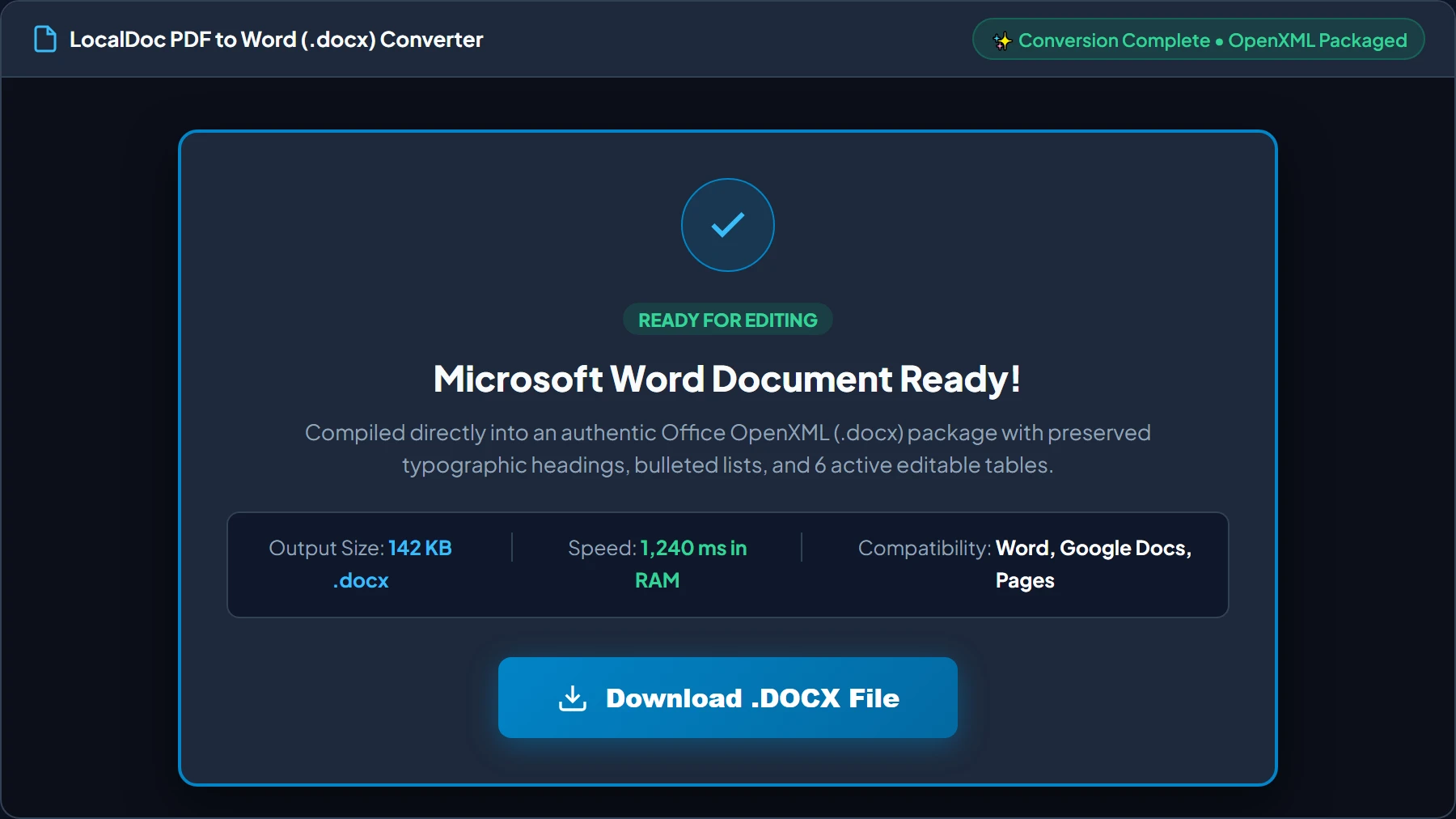
Click Download Converted Document. The in-memory ZIP packager bundles XML relationships and media parts, streaming your file directly to local storage with zero server delay.
Network Uplink: 0 B (Completely Offline)
8. Technical Edge Cases: Scanned Bitmaps, Form Fields & Multi-Columns
Engineering transparency requires addressing scenarios where document conversion requires specialized handling:
Critical Conversion Boundary Conditions
- Scanned Paper Without OCR: If a PDF is a pure raster scan from a flatbed copier, it contains zero text operators — only image streams (
/XObject). Standard DOCX conversion will simply embed the image into a Word page. To make scanned text editable, process the file through our Image to Text (OCR) tool first. - Multi-Column Text Flow Interleaving: When academic papers or newspaper clippings feature side-by-side columns, naive tools read across the horizontal plane, interleaving sentences from column 1 and column 2. LocalDoc's XY-cut vertical projection splits columns before reading line baselines.
- Embedded VBA Macros & Active Content: Word documents containing Visual Basic for Applications (VBA) macros (
.docm) are sanitized to prevent security vulnerabilities. Only document styling and text content are compiled into vector PDFs.
9. Frequently Asked Questions & E-E-A-T Verification
Why do traditional PDF to Word converters turn sentences into broken individual text boxes?
PDF files do not store paragraphs, sentences, or word spaces. They store disconnected string fragments at fixed Cartesian coordinates (e.g. BT 72 750 Td (Hello) Tj ET). Naive converters place each string fragment into an isolated absolute-positioned text box in Word. LocalDoc runs an XY-cut spatial clustering heuristic that analyzes bounding box margins, line baselines, and font metrics to synthesize natural reflowable paragraphs (<w:p>) and tables (<w:tbl>).
Can I convert scanned PDF documents into editable Word text?
If a PDF is a scanned bitmap without an embedded text layer, it contains only raster image operators (BI...ID...EI). To convert scanned documents into editable DOCX files, run LocalDoc Image to Text (OCR) first to extract searchable Unicode text, or upload vector PDFs directly.
Does Word to PDF conversion require Microsoft Office or cloud servers?
No. LocalDoc parses the OpenXML ZIP container directly in browser WebAssembly, calculating page breaks, font metrics, and table layouts client-side. Zero software installations or cloud server subscriptions are required.
Are my confidential legal contracts or financial records uploaded during conversion?
Never. All document parsing, layout calculation, and ZIP packaging occur strictly within your client-side browser RAM. Zero bytes leave your device, ensuring attorney-client privilege and corporate data protection.