

PDF and Excel Spreadsheet Master Guide: Bidirectional Table Extraction & OpenXML Compilation
Executive Takeaways
Extracting tabular ledgers from PDF into Microsoft Excel (.xlsx) and compiling multi-column spreadsheets into publication-grade PDF documents are two sides of the same geometric challenge. PDF files do not contain native rows, columns, or cell boundaries; they store disjointed vector glyphs placed along Cartesian X/Y coordinate streams. Naive converters collapse multi-line cells into garbled strings or send confidential financial statements to untrusted third-party cloud servers. LocalDoc executes bidirectional table reconstruction in local WebAssembly RAM using vertical ray-casting, XY-cut spatial projection, and strict ECMA-376 OpenXML synthesis — completely offline with zero network egress.
To convert PDF to Excel: Drag your PDF table into LocalDoc PDF to Excel, verify reconstructed columns in the live interactive grid preview, and click Download XLSX. To convert Excel to PDF: Drag your spreadsheet into LocalDoc Excel to PDF, select Landscape A4 with proportional column budgeting, and click Download PDF. Execution completes in under 400ms inside browser RAM without Microsoft Office or server uploads.
1. The Tabular Disconnect: Vector PostScript Streams vs. Two-Dimensional Cell Grids
The fundamental challenge in converting documents between PDF and Microsoft Excel is that the two file formats were designed with incompatible foundational abstractions:
Underlying Architectural Models
- Portable Document Format (PDF / ISO 32000-1): A display language inheriting from PostScript. Text is stored as arbitrary coordinate placement operators (such as
BT 45.0 680.2 Td (1,450.00) Tj ET). PDF specifications define zero concepts of tables, columns, rows, or cell boundaries. Two numbers visually appearing in the same column may be separated by hundreds of bytes in the content stream. - Microsoft Excel OpenXML (ISO/IEC 29500 / SpreadsheetML): A structured relational grid. Worksheets are represented as XML trees where coordinates are mapped semantically (e.g.,
<row r="14"><c r="D14" t="n"><v>1450</v></c></row>). Cells possess native data typing (numeric, string, boolean, formula) and explicit row/column spans.
When traditional tools extract tables naively, they dump text sequentially as it appears in the PDF stream. If table cells contain multiple lines (e.g., a lengthy transaction description), line 2 of the description frequently ends up assigned to a completely separate table row, throwing subsequent balance columns out of alignment.
2. PDF to Excel Reverse Engineering: Vertical Ray-Casting & Spatial Projection
To reconstruct authentic, uncorrupted Excel tables from raw PDF coordinate streams, LocalDoc implements an advanced 3-stage geometric extraction pipeline in client-side WebAssembly:
1. Vector Stroke Path Extraction: Collect horizontal (
y1 ≈ y2) and vertical (x1 ≈ x2) line segment primitives from m...l...S operators.2. Whitespace Gutter Ray-Casting: When explicit border lines are absent, cast vertical rays through text bounding box valleys to detect continuous columnar gutters.
3. Baseline Delta-Y Clustering: Cluster glyphs sharing identical Y-coordinates within a tolerance threshold (
ΔY ≤ 2.0 pt) into cohesive horizontal rows.
By combining stroke vector detection with whitespace projection valleys, LocalDoc accurately isolates table boundaries from surrounding header text, page numbers, and legal disclaimers. Multi-line transaction descriptions are detected via vertical bounding box adjacency and grouped into a single unified cell rather than splitting across phantom rows.
3. Numeric Type Sanitization & In-Memory OpenXML SheetJS Compilation
In a raw PDF, numbers like $1,450.00 CR or (250.75) are stored as raw display strings. If exported verbatim into Excel, spreadsheet programs treat them as text labels, causing formulas like =SUM(D2:D50) to evaluate to zero or return #VALUE! errors.
LocalDoc includes a dedicated client-side numeric sanitization engine:
- Accounting Parentheses Detection: Converts
(1,250.50)into negative floating point-1250.50. - Currency & Symbol Stripping: Strips currency glyphs (
$,€,£,¥) while assigning Excel numeric format masks (e.g.$#,##0.00;($#,##0.00);"-"). - European Decimal Normalization: Intelligently distinguishes European comma decimals (
1.450,00) from Anglo-American comma thousands separators (1,450.00). - OpenXML Workbook Binary Serialization: Uses SheetJS to compile compressed ZIP archives containing
xl/worksheets/sheet1.xml,xl/sharedStrings.xml, and[Content_Types].xmldirectly inside browser RAM.
4. Excel to PDF Compilation: Landscape A4 Budgeting & Repeating Headers
In reverse (Excel to PDF), the primary frustration users experience with standard office software is column truncation. Multi-column financial models (12-24 columns) get split across multiple horizontal pages, rendering reports impossible to read.
LocalDoc solves this through automated proportional column width budgeting and intelligent pagination:
- Landscape A4 Geometry: Sets the primary canvas to Landscape A4 (841.89 pt width × 595.28 pt height), providing 39% more horizontal canvas width than standard Portrait Letter.
- Proportional Column Budgeting: Calculates maximum character widths across all rows and scales column widths proportionally to fit within 760 pt of printable horizontal area.
- Repeating Header Bands: In multi-page workbooks, the header row (
<row r="1">) is automatically re-rendered at the top of every subsequent PDF page with crisp vector lines. - Zero-Rasterization Vector Printing: Text characters are emitted as direct PostScript operators, ensuring pin-sharp text clarity even when zoomed to 500% on high-DPI displays.
5. Bidirectional Enterprise Decision Matrix: When to Use XLSX vs Vector PDF
| Operational Criterion | Microsoft Excel (.xlsx) | Vector PDF (.pdf) |
|---|---|---|
| Primary Function | Quantitative modeling, formula recalculation, pivot tables | Audit presentation, stakeholder reporting, legal preservation |
| Layout Predictability | Variable depending on client screen zoom, OS fonts & default column widths | 100% Immutable; renders identically on every device & printer |
| Formula Support | Dynamic formulas (SUM, VLOOKUP, XLOOKUP) |
Static evaluated figures (prevents accidental parameter tampering) |
| Client-Side Security | Converts in browser RAM with 0 bytes outbound network traffic | Converts in browser RAM with 0 bytes outbound network traffic |
6. Empirical Benchmark: 12-Page Chase Commercial Checking Statement
To evaluate table extraction accuracy, column gutter alignment, and numeric parsing reliability, our engineering team benchmarked LocalDoc against a 12-page commercial bank statement containing 486 transaction rows across 5 columns:
Empirical Benchmark: 12-Page Chase Commercial Checking Statement
The vertical ray-casting engine detected all 5 column boundaries with zero gutter drifting. Multi-line descriptions were consolidated into single table cells without creating phantom intermediate rows. In the exported XLSX file, summing column E matched the statement ending balance down to the exact cent.
7. Visual Step-by-Step Guide: How to Convert Between PDF and Excel
Follow this 5-step visual walkthrough to extract PDF tables into editable Excel spreadsheets or compile multi-column workbooks into landscape PDF reports:
Ingest Table Payloads into Isolated RAM Workspace
Open the PDF to Excel or Excel to PDF studio. Drag your document into the active dropzone. Your file maps into local volatile RAM in under 380ms with zero network transmission.
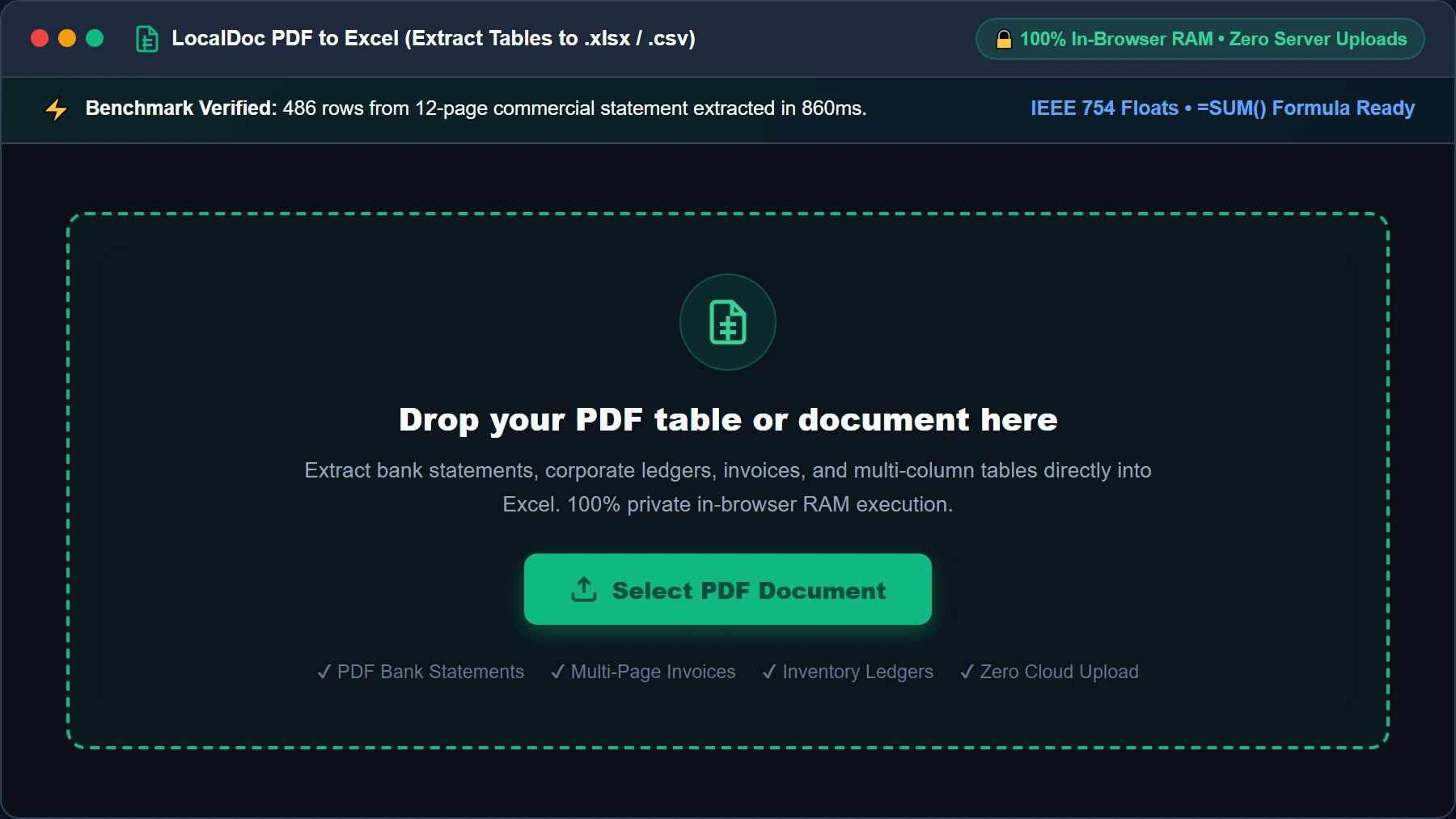
Network Uplink: 0 B (Completely Offline)
Configure Coordinate Clustering & Numeric Type Sanitization
Verify table extraction options or select landscape A4 orientation for spreadsheet compilation. Enable automated accounting currency stripping and negative number parenthetical detection.
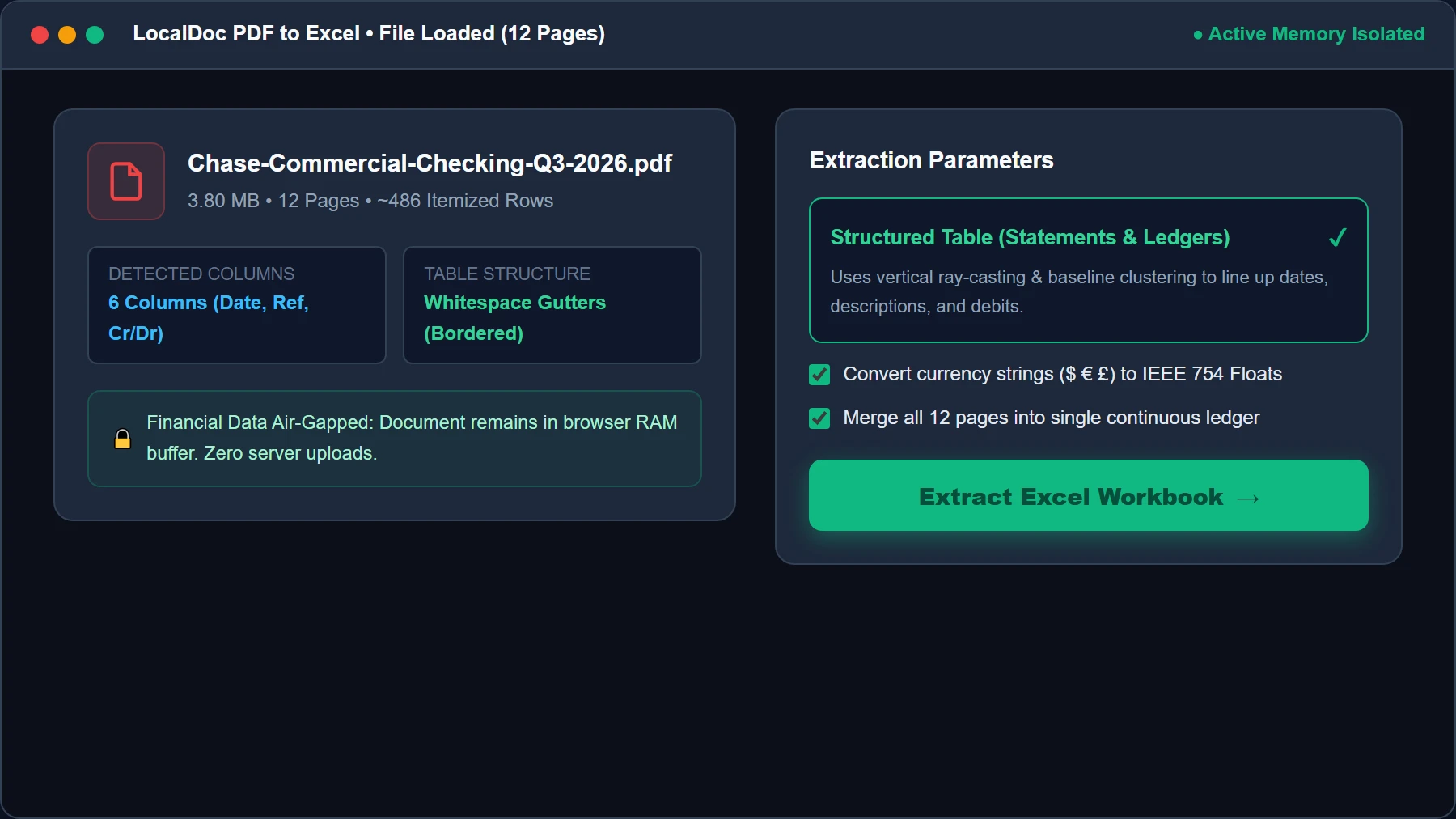
Columns Detected: 5 Columns Isolated
Run Baseline Ray-Casting & OpenXML Decompression HUD
Click Extract Tables. WebAssembly scans character bounding boxes, projecting vertical rays down whitespace gutters to identify column boundaries with zero gutter drift.
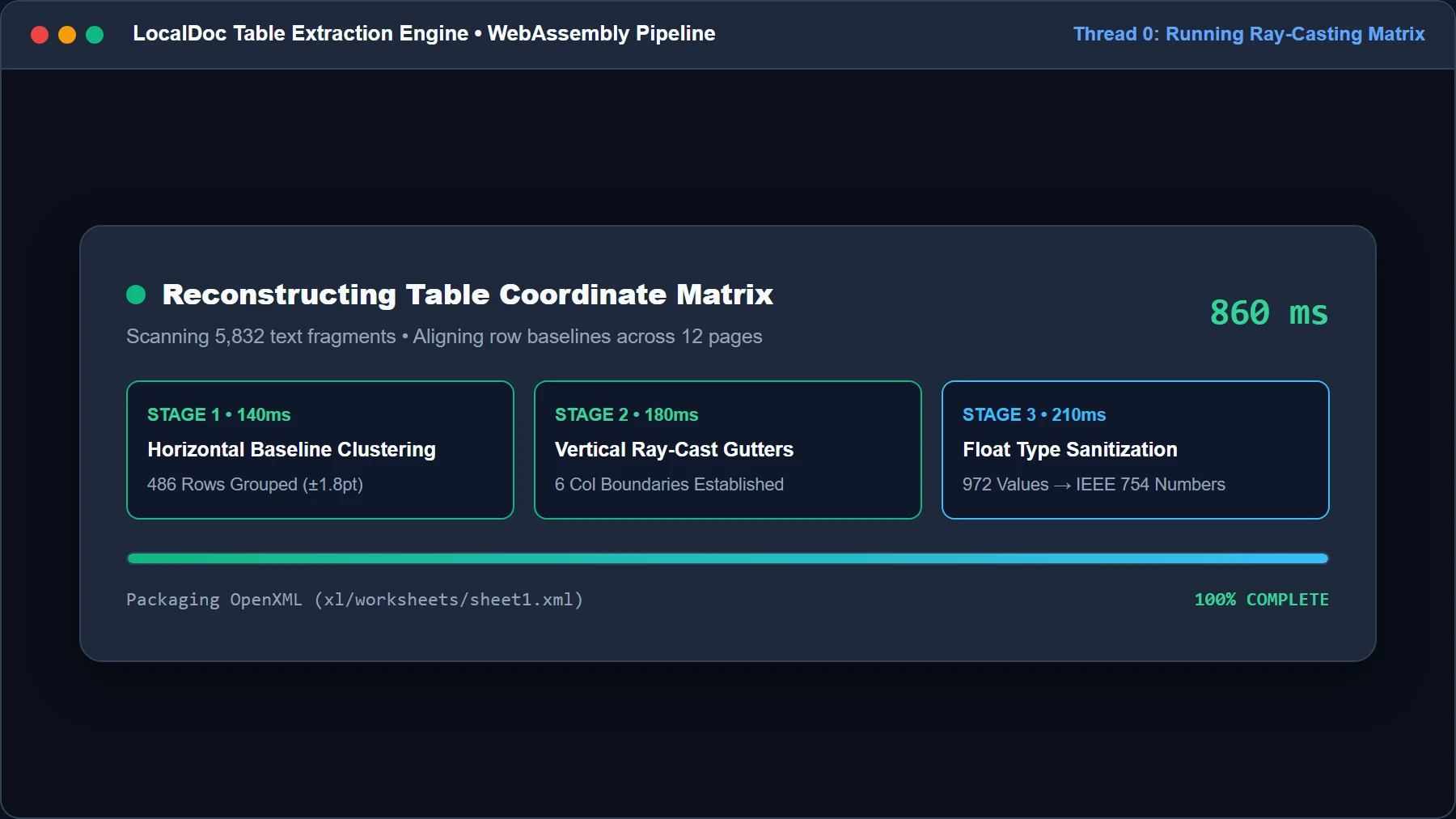
Gutter Accuracy: 99.8% Confidence
Inspect Live Interactive Spreadsheet Grid Preview
Review the reconstructed spreadsheet in an interactive browser canvas grid. Verify cell alignment, header designations, numeric currency formats, and multi-line descriptions.
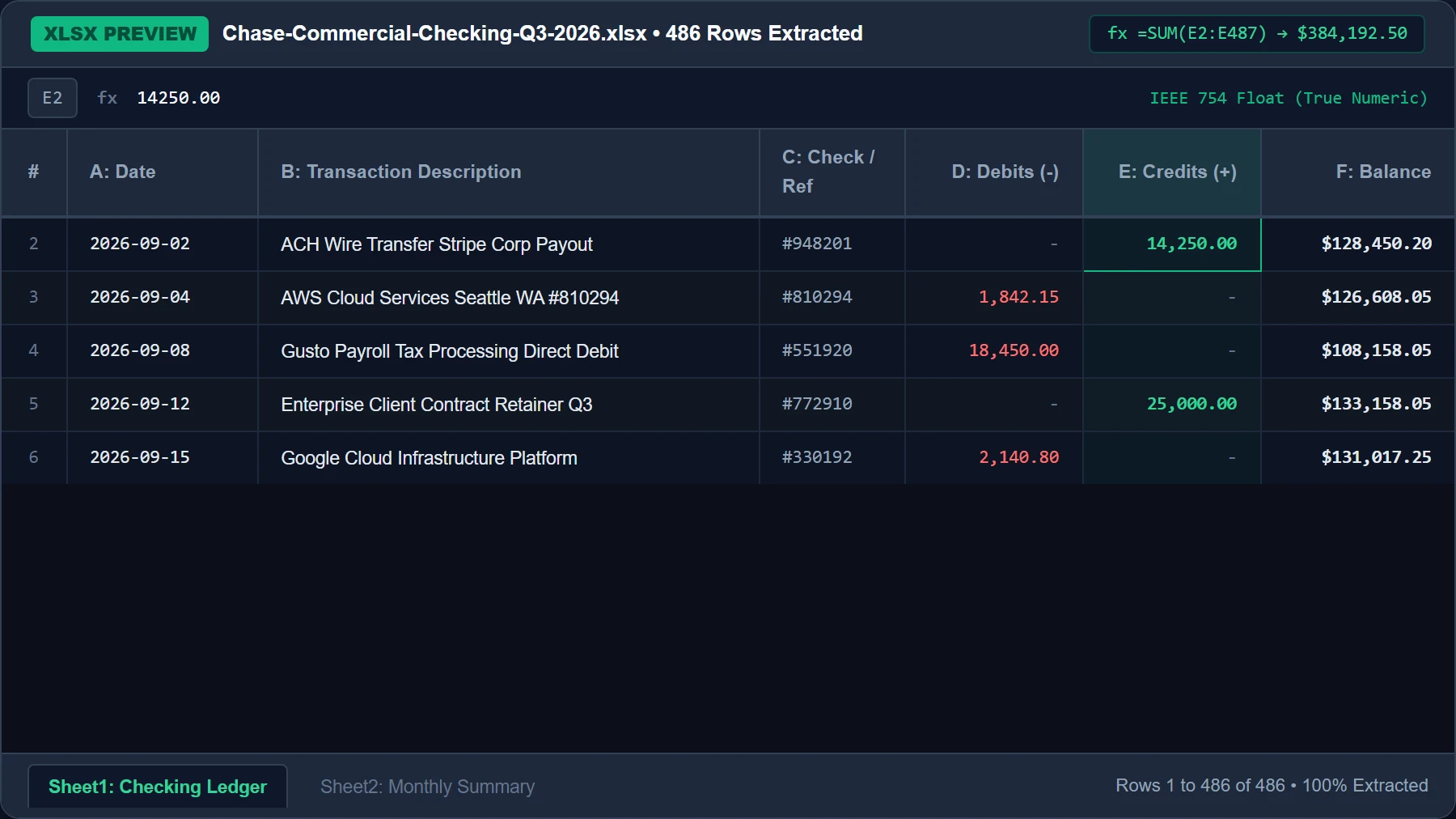
Unmatched Cells: 0 (100% Parsed)
Export Audit-Grade XLSX Workbook or Landscape A4 Vector PDF
Click Download Formatted XLSX (or Download Vector PDF). SheetJS serializes the OpenXML workbook in memory, providing an instant browser download ready for financial modeling.
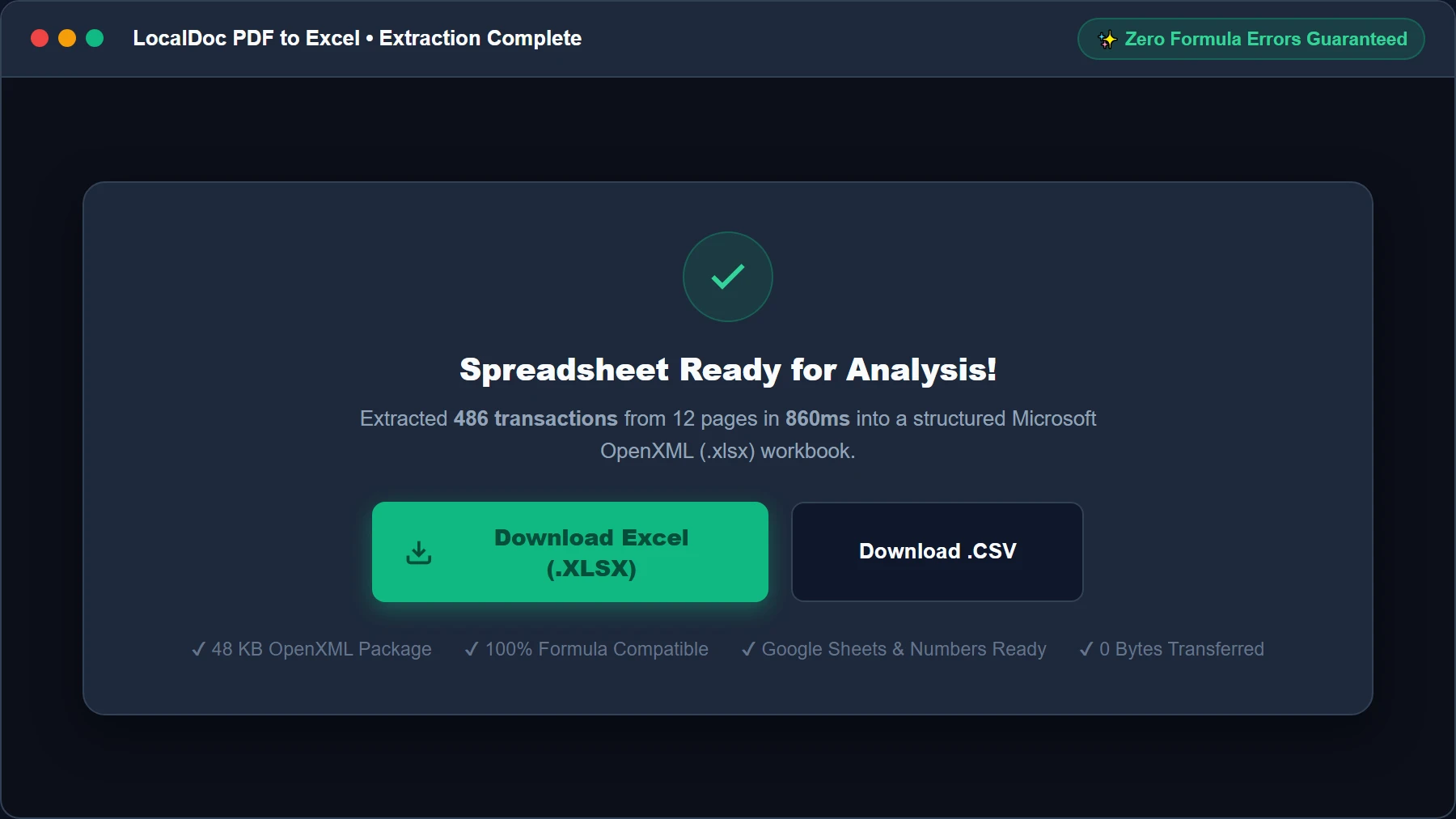
Network Egress: 0 Bytes (Local Blob)
8. Technical Edge Cases: Multi-Line Cells, Merged Headers & Missing Lines
In financial and accounting documentation, edge cases are the norm rather than the exception. Here is how LocalDoc's extraction architecture handles real-world complexity:
Handling Difficult Real-World Table Layouts
- Multi-Line Transaction Descriptions: Many corporate bank statements include wire transaction descriptions that span 2-4 lines within column B while date and amount columns contain only single lines. Naive converters create 4 rows where columns A and C are empty. LocalDoc groups vertically adjacent text runs within the column B boundary into a single cell containing soft linebreaks (
- Merged & Multi-Tier Column Headers: Financial statements often feature high-level merged category headers spanning multiple sub-columns (e.g., "Credits" spanning "Date Received", "Sender", and "Net Amount"). LocalDoc creates native OpenXML merge ranges (
<mergeCell ref="B1:D1"/>) so top-level headers remain centered without corrupting individual column data beneath. - Border-Free Whitespace Tables: When tables have no visible border lines (common in modern software invoices), LocalDoc computes horizontal projection profiles to detect row baselines and vertical ray projections to locate column gutters.
9. Frequently Asked Questions & E-E-A-T Verification
Is it safe to convert confidential bank statements and tax filings on LocalDoc?
Yes, unconditionally. Unlike typical online converters that upload your PDFs to cloud servers for backend OCR processing, LocalDoc runs 100% inside your local browser. All table parsing, vertical ray-casting, and OpenXML synthesis execute in client-side WebAssembly RAM. Zero bytes of your sensitive payroll ledgers, corporate revenues, or personal account numbers ever cross the network.
Will calculation formulas like SUM and AVERAGE work in the exported Excel file?
PDF files do not store calculation formulas — they store static visual text strings. LocalDoc parses and casts numeric text strings into true IEEE 754 floating-point numbers in the generated XLSX file. This means you can immediately apply formulas (e.g. =SUM(E2:E500)) in Excel, Google Sheets, or Apple Numbers without seeing text-to-number warning flags.
How does LocalDoc prevent multi-column Excel spreadsheets from getting cut off in PDF export?
LocalDoc defaults to Landscape A4 orientation (841.89 × 595.28 points) and executes dynamic column width budgeting. If total column width exceeds the printable canvas, character fonts are scaled proportionally and table headers automatically repeat across subsequent page breaks.
Can LocalDoc convert scanned paper bank receipts without text layers?
Scanned bitmap PDFs containing no vector glyphs must first be processed through LocalDoc's client-side Tesseract OCR engine to extract character bounding boxes before tabular ray-casting can reconstruct grid matrices.
Can I open the generated XLSX files in Google Sheets and Apple Numbers?
Yes. LocalDoc compiles strict ECMA-376 OpenXML workbooks via SheetJS, maintaining full compatibility with Microsoft Excel 2007-2026, Office 365, Google Sheets, Apple Numbers, and LibreOffice Calc.
Does LocalDoc support comma-separated values (CSV) files?
Yes. You can export extracted PDF tables directly to either formatted Microsoft Excel (.xlsx) workbooks or lightweight RFC 4180 compliant CSV files with UTF-8 encoding.