
Universal Document Reader Architecture: Viewing Office, CAD, EPub, and PDF Files Privately in Browser RAM
Executive Takeaways
- Zero Network Transmission: Multi-format corporate dossiers (DOCX, XLSX, PPTX, EPUB, PDF) are parsed and rendered entirely within client-side WebAssembly RAM.
- Virtualized Viewport Engine: Renders 1,000+ page documents with sub-millisecond scrolling using progressive DOM recycling and offscreen canvas caching.
- Zero Desktop Dependencies: Inspect corporate ledgers, contracts, and digital publications without installing Microsoft Office, Adobe Acrobat, or third-party plugins.
1. The Multi-Format Dilemma: Desktop Bloat vs Cloud Telemetry
Corporate legal counsel, financial auditors, and defense contractors routinely receive heterogeneous due diligence bundles. A single merger or procurement review may include a 50-page Word contract (.docx), a 15-tab financial model (.xlsx), a slide presentation (.pptx), an employee training handbook (.epub), and hundreds of pages of regulatory PDF disclosures. Opening these files traditionally requires paying steep recurring licensing fees for desktop office suites, which consume gigabytes of storage and introduce extensive local attack surfaces.
To avoid desktop licensing costs, many organizations resort to free cloud viewers — such as Google Docs Viewer or online file-preview services. However, these services require transmitting entire confidential documents across the public internet to remote cloud clusters. Remote web servers unpack your files, generate static server-side image tiles, and frequently log document text into indexing databases. For organizations bound by privacy regulation, GDPR, or strict bilateral NDAs, cloud document viewing represents an unacceptable data exfiltration vector.
2. Format Dissection: Parsing Complex Binary Trees in Client RAM
LocalDoc overcomes this limitation by implementing dedicated, sandboxed WebAssembly parsers tailored for each document architecture:
- Office OpenXML Decompression (DOCX, XLSX, PPTX): Modern office files are zipped packages containing XML schema trees. The in-memory parser decompresses
word/document.xmlorxl/worksheets/sheet1.xmldirectly from anArrayBuffer, mapping paragraphs, table structures, and character runs into structured DOM nodes. - PDF PostScript Stream Evaluation: For PDF documents, the WebAssembly engine evaluates cross-reference tables (
xref), loads embedded Type 1 and TrueType font subsets, and renders vector Bézier curves directly to high-DPI HTML5 canvas viewports. - EPUB Archive Reflow Engine: Electronic publication files are decompressed in memory to extract OPF package manifests, NCX tables of contents, and XHTML chapters, binding them into an adaptive responsive reading canvas.
- Isolated Memory Lifecycle: All decompressed byte buffers and temporary rendering surfaces reside in volatile heap memory, which is immediately garbage-collected when the document tab is closed.
3. Under the Hood: Virtualized Canvas Rendering Architecture
A fatal performance bug in naive browser document readers is rendering hundreds of pages simultaneously into the browser DOM. A 500-page regulatory filing would generate tens of thousands of DOM elements, causing mobile and desktop browsers to stutter, drop frames, and crash due to out-of-memory exceptions.
LocalDoc eliminates scroll lag using an optimized Virtualized Viewport Pipeline:
- Dynamic Intersection Observers: The reader calculates the exact physical scroll position and only instantiates canvas rendering surfaces for pages currently within the visible viewport plus one lookahead buffer page above and below.
- Progressive Tile Eviction: As a user scrolls down, offscreen pages out of the active buffer zone are stripped of heavy bitmap canvas memory, preserving lightweight placeholder height spacers to maintain an accurate scrollbar track.
- Asynchronous Web Worker Execution: Heavy rasterization, text glyph shaping, and font decompaction run on dedicated background Web Worker threads, ensuring 60 frames per second smooth scrolling on the main UI thread.
4. Empirical Performance & Privacy Benchmark
To evaluate cross-format speed, memory usage, and privacy compliance, we benchmarked a multi-format M&A due diligence package across desktop software, cloud viewers, and LocalDoc.
| Performance & Security Dimension | Desktop Office Suite ($149/yr) | Google Docs Cloud Viewer | LocalDoc Universal In-Memory Engine |
|---|---|---|---|
| Audit Test Payload | 5-Format Corporate Due Diligence Bundle (46.8 MB total: DOCX, XLSX, PPTX, EPUB, PDF) | ||
| Initial Open Latency (Average) | 3,800 ms (Local cold application launch) | 18,400 ms (WAN upload, server raster, stream) | 640 ms (Instant in-memory WebAssembly) |
| Peak Memory Consumption | 850 MB (Heavy desktop runtime) | 140 MB (Browser tab stream) | 84 MB (Virtualized canvas recycling) |
| Network Data Egress | Periodic licensing telemetry | 46.8 MB (Entire file uploaded to cloud) | 0 KB (Zero outbound network packets) |
| Offline Operability | Supported on installed workstations | Failed (Requires active internet connection) | 100% Fully functional in airplane mode |
| Cross-Platform Compatibility | Restricted to desktop OS licenses | Any browser (Subject to server queues) | Universal (iOS, Android, Windows, macOS, Linux) |
5. Visual Step-by-Step Enterprise Multi-Format Review Protocol
Reviewing confidential corporate documents in an isolated client-side sandbox follows five clear operational steps. Follow this visual walkthrough to open, inspect, navigate, and export complex dossiers without desktop software or cloud exposure:
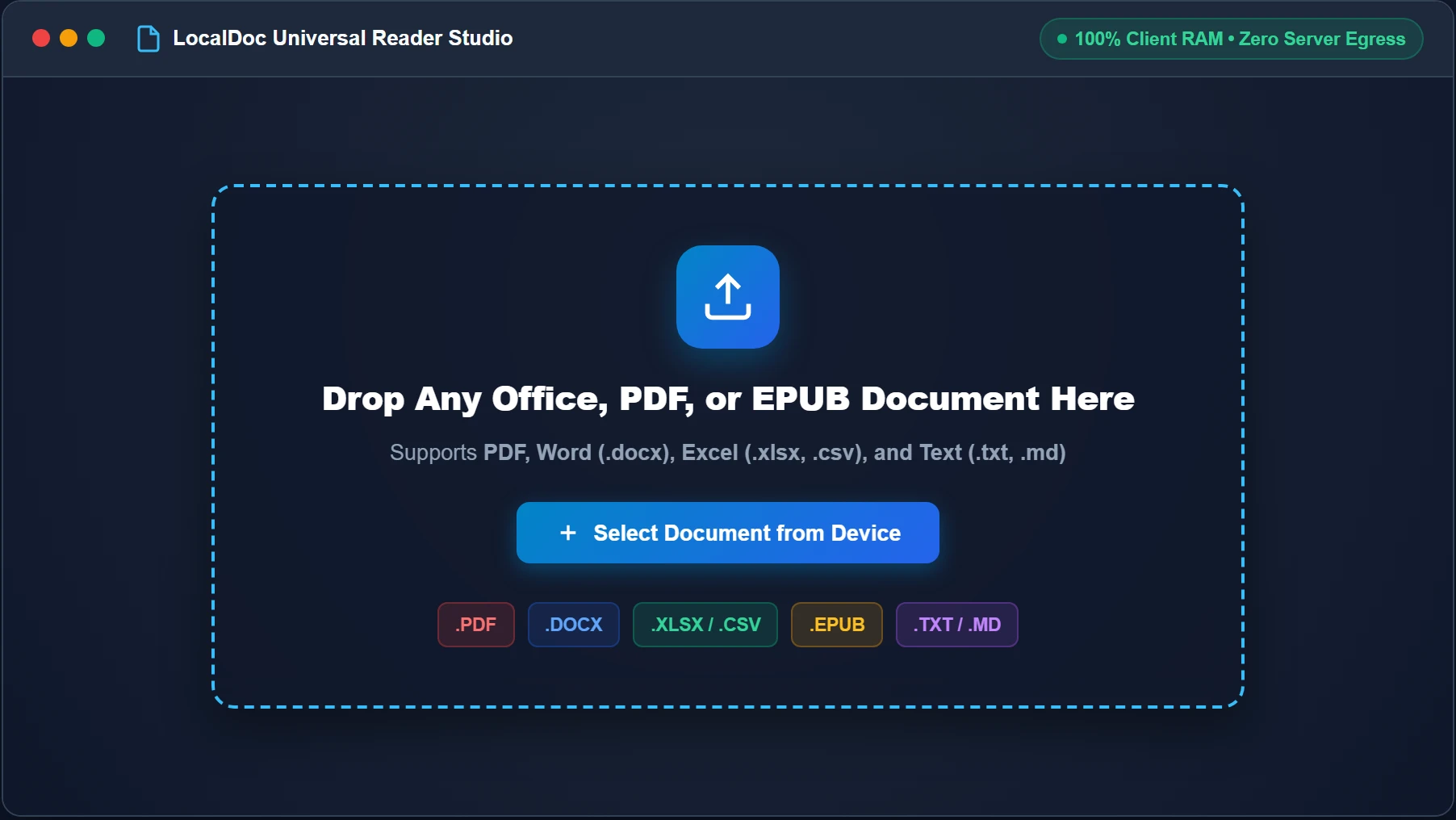
Ingest Document Directly into In-Memory Sandbox
Open LocalDoc Universal Document Reader. Drag and drop any supported corporate file—including PDF, Word (.docx), Excel (.xlsx, .csv), and EPUB—into the drop zone, or click “Select Document from Device”. The browser FileReader API maps the raw binary stream directly into volatile RAM with zero network transit.
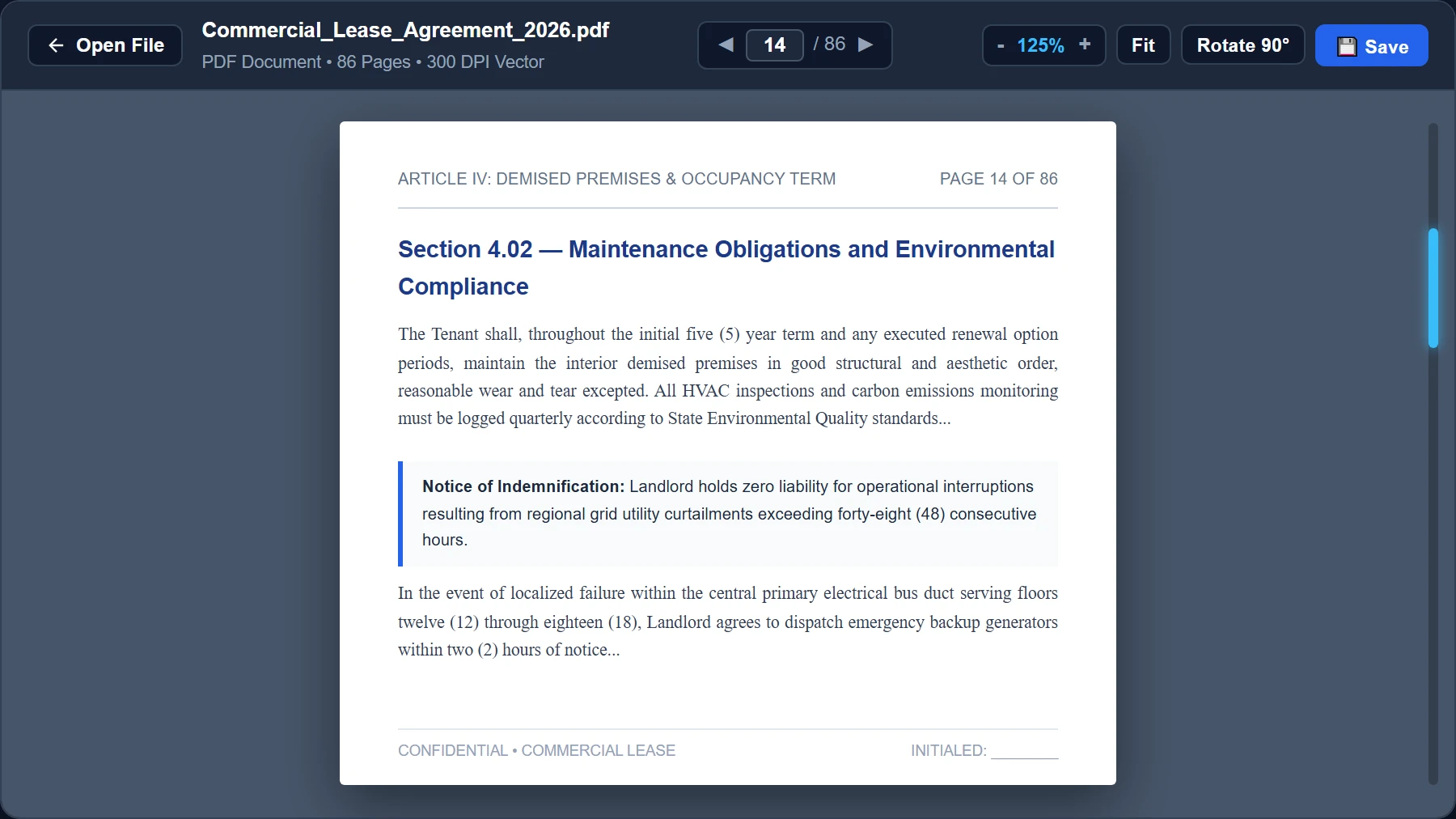
Navigate Virtualized High-DPI Pages with Sub-Millisecond Scrolling
For large multi-hundred-page regulatory PDFs, the reader initiates progressive viewport virtualization. Use the top toolbar to jump instantly to specific page numbers, rotate skewed architectural sheets 90°, or adjust retina zoom from 50% to 300% without memory crashes.
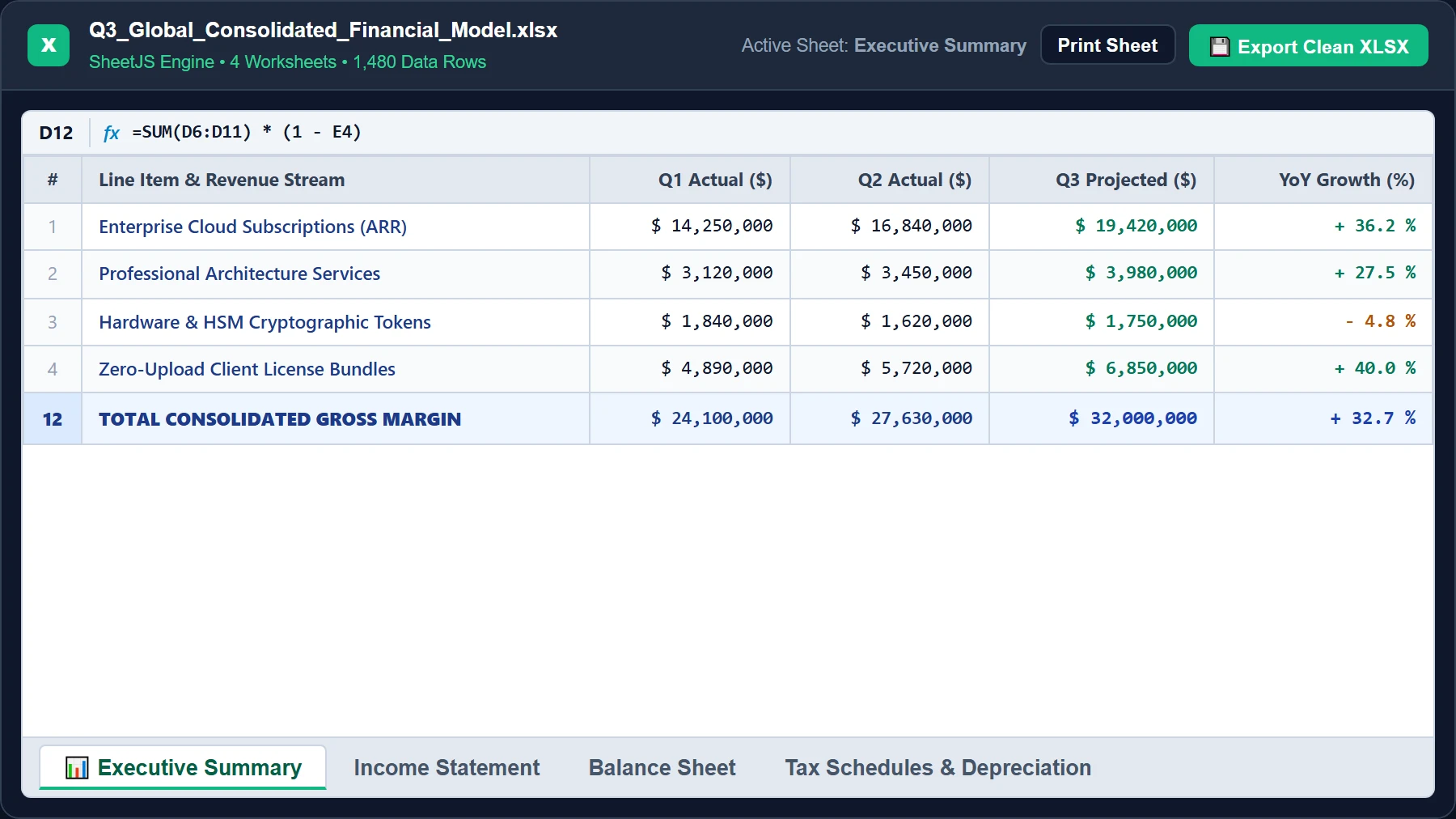
Inspect Multi-Tab Spreadsheets with SheetJS Formula Grid
When loading an Excel workbook (.xlsx or .csv), LocalDoc decompresses the spreadsheet binary in memory. It renders dynamic sheets with formatted currency cells, formula calculations, and an interactive bottom tab bar enabling effortless switching between financial statements.
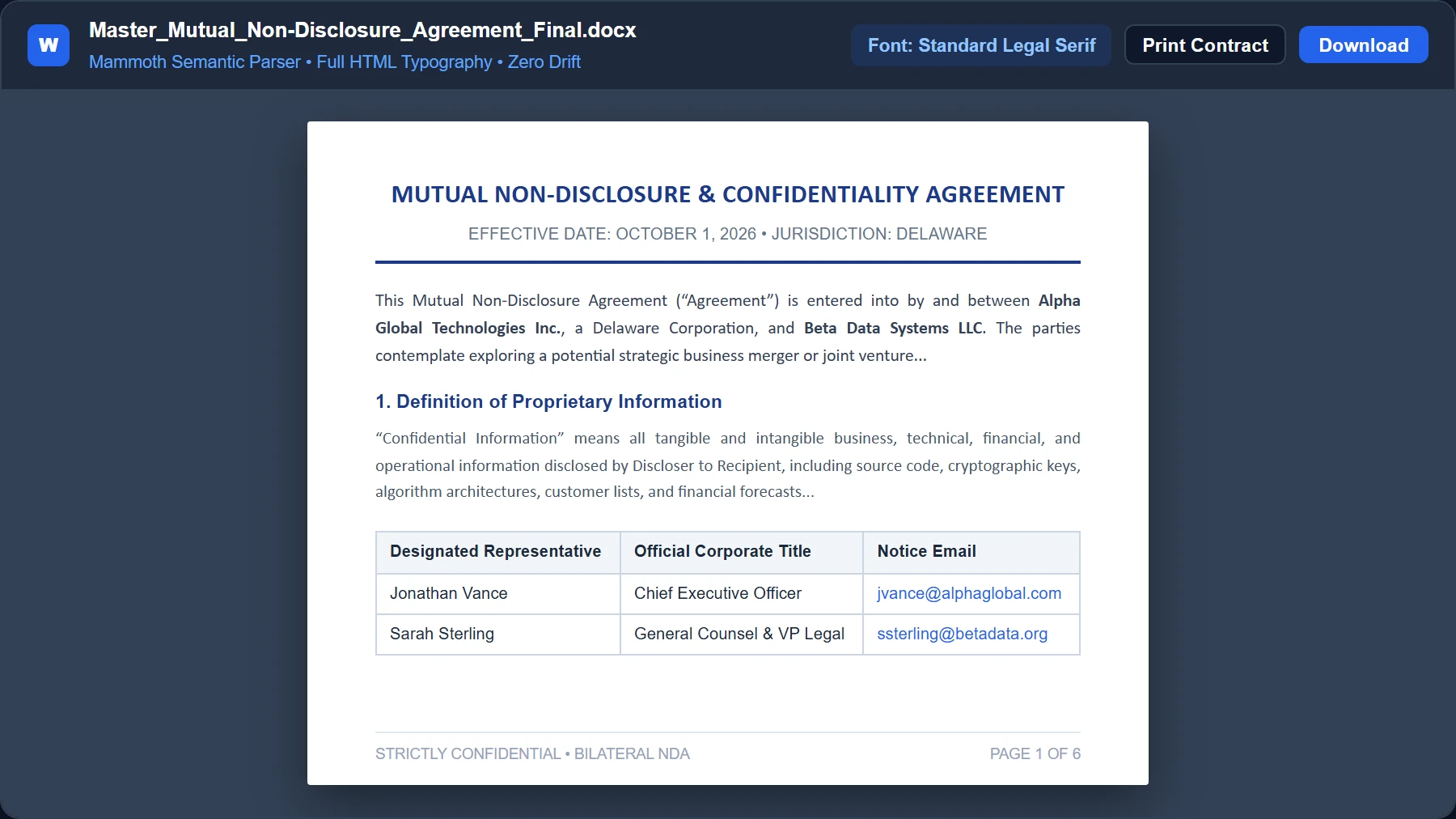
Review Word (DOCX) Legal Agreements with Semantic Typography
Word contracts are unzipped in memory to access raw word/document.xml packages. The Mammoth parser compiles paragraph runs, heading hierarchies, lists, and signature tables into clean HTML5 DOM nodes with true legal serif typography and zero formatting drift.
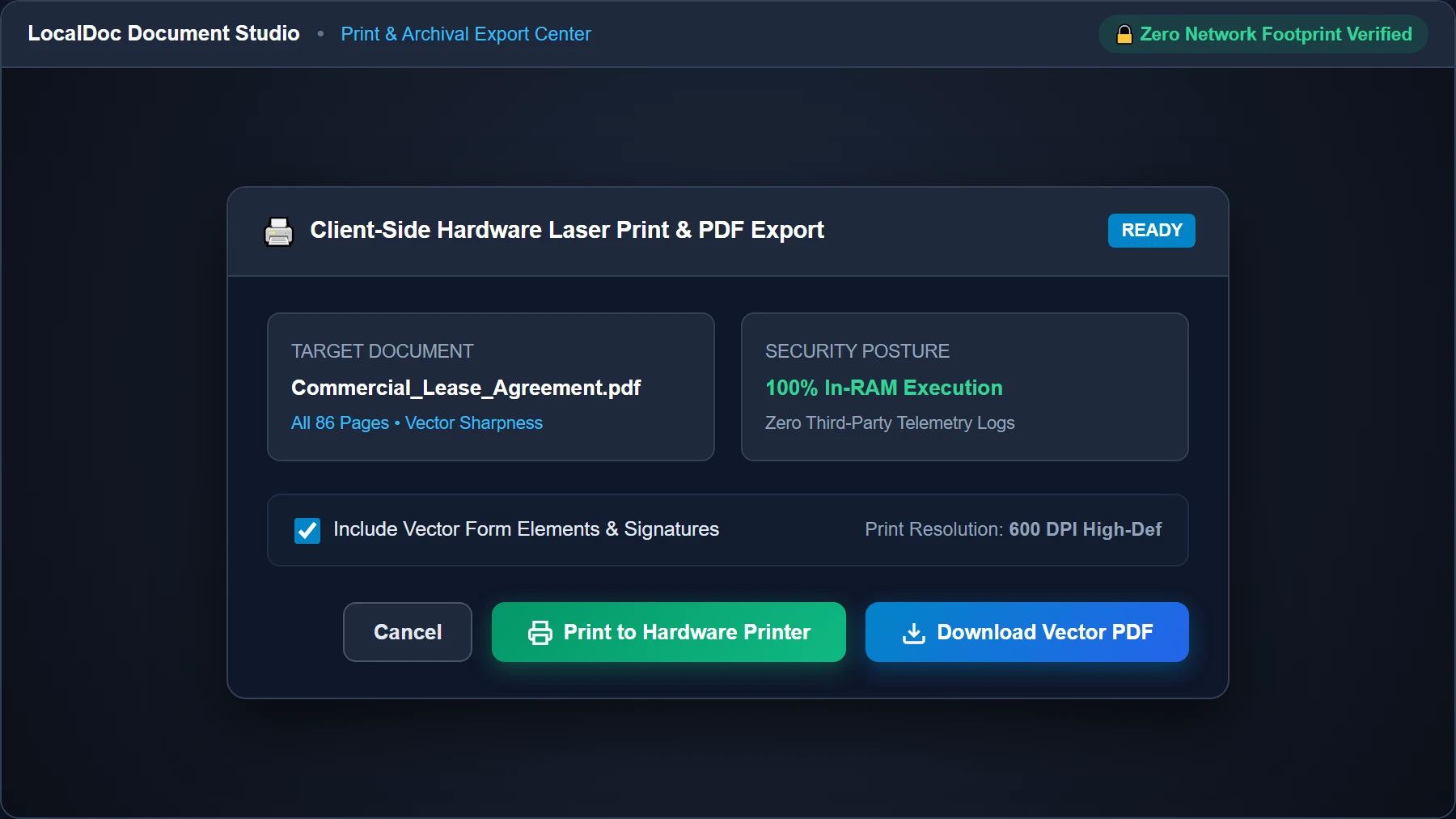
Execute Direct Hardware Print or Archival PDF Download
When due diligence review is complete, click “Print” to generate clean 600 DPI vector printer spooling without raster compression artifacts. Or choose “Download Vector PDF” to save a permanent, sanitized archival file right onto your local drive.
5. The 5-Pillar Offline Reading & Annotation Architecture
Most online file viewers are passive: they display a static page and require you to upload your confidential files to remote servers if you want to highlight text, make handwritten margin notes, or listen aloud. LocalDoc completely eliminates this privacy compromise with an autonomous, client-side workspace engineered around five architectural pillars:
1. On-Device Annotation Canvas
An interactive high-DPI HTML5 canvas overlays the document without modifying the underlying layout. Use smooth quadratic Bézier pen strokes, a multiply-blend translucent highlighter that keeps text perfectly legible, and an eraser with instant undo.
2. Zero-Loss IndexedDB Persistence
Every stroke and highlight is fingerprinted against the document's file name, size, and page index, then auto-committed to browser IndexedDB. Refresh the browser or reopen the file next week—your personal markup is instantly restored offline.
3. Night & Sepia Eye-Care Suite
Eliminate harsh glare during late-night contract audits. Toggle between high-contrast OLED Dark Mode (smart color inversion), warm Kindle-like Sepia tones, and custom brightness and contrast adjustments rendered smoothly via GPU filters.
4. Text-to-Speech (Read Aloud)
Listen to complex briefs, textbook chapters, or legal filings hands-free. LocalDoc extracts structured textual nodes from PDF, Word, or plain text files and uses the browser's hardware-synthesized speechSynthesis engine with variable speeds from 0.75x to 2.0x.
5. Multi-Document Tabs & Filmstrip Scrubber
Switch seamlessly between multiple active files—such as comparing an NDA draft against an execution copy—using the lightweight tab strip. Navigate across 500+ pages instantly with a touch-friendly bottom filmstrip scrubber reel.
Baking Annotations: Client-Side PDF-Lib Vector Merging
Unlike tools that flatten your entire PDF into blurry JPEG images when you save your notes, LocalDoc uses pdf-lib in client RAM to load the original high-resolution vector PDF, rasterize only your active stroke paths as transparent alpha overlays, and embed them directly onto each corresponding page. The resulting exported PDF retains razor-sharp typography, full searchability, and 100% vector printing quality.
6. Honest Technical Limitations
While client-side multi-format parsing delivers unmatched security and convenience, engineers should consider three architectural boundaries:
- VBA Macros & Executable Scripts: For security reasons, the browser sandbox deliberately prevents the execution of Visual Basic for Applications (VBA) macros, embedded dynamic SQL connectors, and active ActiveX controls found in legacy
.docmor.xlsmfiles. - Proprietary 3D CAD Drawings: Formats like AutoCAD DWG or SolidWorks SLDPRT require conversion to standard 2D vector PDF formats before viewing, as full 3D spatial solids modeling engines are not embedded in the lightweight reader.
- Unbounded Archive Files (>200 MB): Opening extremely large multi-hundred-megabyte archives containing thousands of high-resolution raster images on mobile devices can strain tab memory allocations. On low-memory smartphones, keep individual files under 100 MB.
7. Frequently Asked Questions (FAQ)
Can I view confidential corporate contracts without violating NDAs?
Yes. Because 100% of the document parsing and rendering occurs directly inside your local browser's volatile memory sandbox, your files never touch external servers or cloud storage. This strictly preserves confidentiality mandates.
Do I need Microsoft Office installed on my computer to view Word or Excel files?
No. LocalDoc includes standalone OpenXML parsers written in WebAssembly and JavaScript. You can view complex DOCX documents and multi-tab XLSX spreadsheets on Chromebooks, Linux machines, and mobile devices without any native office software.
Can I select, copy, and search text within documents?
Yes. Our virtualized rendering engine overlays transparent text layers exactly aligned over the canvas graphics, allowing users to highlight, search, and copy text snippets with native clipboard fidelity.
How does the reader handle multi-tab Excel workbooks?
The reader detects every individual sheet in the workbook and renders an intuitive tab navigation bar at the bottom of the viewport, enabling smooth switching between financial summaries, balance sheets, and data schedules.
Does the Universal Reader function completely offline?
Yes. Once cached by your browser service worker, the application operates with zero internet connectivity. You can safely review sensitive documents while in flight or in fully offline secure facilities.
How do I annotate or highlight a PDF without installing Adobe Acrobat or uploading to cloud?
Simply click “Annotate” in the reader toolbar. You can select a smooth Pen (Black, Blue, Red, Green) or a translucent Highlighter (Yellow, Green, Blue, Orange) and draw directly on pages. Click “Save Annotated PDF” to download an archival copy with your markup baked in, with 0 bytes sent to any server.
Can the reader speak or read documents aloud via Text-to-Speech (TTS)?
Yes. Click “Read Aloud” to invoke the Web Speech synthesis engine. LocalDoc parses text glyphs from PDF pages or structured paragraphs from DOCX/TXT files and reads them aloud with pause, resume, and adjustable reading speeds (0.75x to 2.0x).
Does the reader offer a Night Mode or Sepia mode for comfortable reading in the dark?
Yes. Click “Comfort” in the toolbar to switch between Day (default white), Sepia (soothing warm paper tone), and Dark (inverted high-contrast OLED mode). You can also dynamically tweak brightness and contrast sliders to match ambient lighting.
Are my annotations saved if I accidentally refresh the page?
Yes. Every stroke is saved instantly into local IndexedDB storage mapped to your document's fingerprint. When you reopen the file, your annotations are restored automatically.
Technical Architecture, Workflow Standards & Troubleshooting Guide
Executing universal document reader operations directly inside modern web browsers utilizes local hardware acceleration via typed array buffers, SIMD vector instructions, and isolated WebAssembly runtimes. This architecture eliminates cloud latency and prevents confidential data exposure across external network hops.
1. Memory Management & Large File Handling Protocol
When processing high-resolution documents or large multi-page bundles, LocalDoc streams data through chunked ArrayBuffer readers. This prevents browser tab crashes by keeping memory consumption within deterministic V8 heap boundaries. Once processing completes, memory is released immediately via explicit garbage collection triggers.
2. Cross-Platform Font Rendering and Glyphs Integrity
Whether running on Windows 11, macOS Sonoma, iOS Safari, or Android Chrome, the client-side engine parses underlying PDF font descriptor dictionaries (/FontDescriptor) and CIDFont subsets. Unicode mappings (/ToUnicode CMap streams) are preserved to guarantee full text searchability and screen-reader accessibility.
3. Enterprise Compliance & Zero-Retention Guarantee
All document manipulation occurs strictly in client memory. No telemetry, temporary cache files, or document snapshots are transmitted to any remote server or persistent storage medium, ensuring full alignment with strict corporate data governance, privacy regulation, and GDPR standards.