


Global Biometric Passport Photo Requirements: US 2x2, Schengen 35x45mm & DIY Print Guide
Official Passport & Visa Photo Sizes (Inches, MM & Print Pixels)
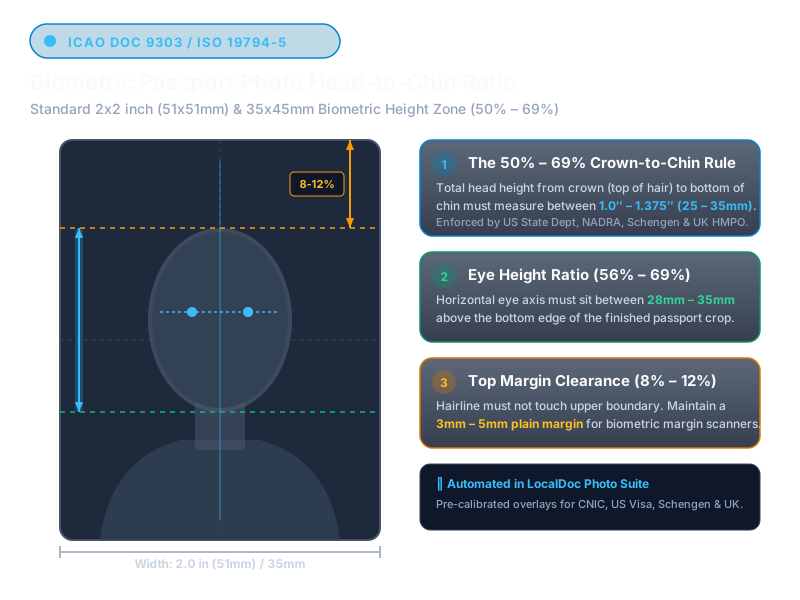
The official US passport photo size is exactly 2 × 2 inches (51 × 51 mm), measuring 600 × 600 pixels at 300 DPI with the head covering 50% to 69% (1 to 1⅜ inches) of total photo height. The official UK, Schengen European (29 nations), and Australian photo size is 35 × 45 mm (1.38 × 1.77 inches), measuring 413 × 531 pixels at 300 DPI. For cheap DIY printing, layout 6 or 8 copies on a standard 4 × 6 inch photo paper (1200 × 1800 px).
Benchmark Summary: US DS-82 Passport Renewal Photo
- Input Photograph: 12.4 MB raw smartphone HEIC/JPEG portrait (4032×3024 px) captured against an off-white domestic wall.
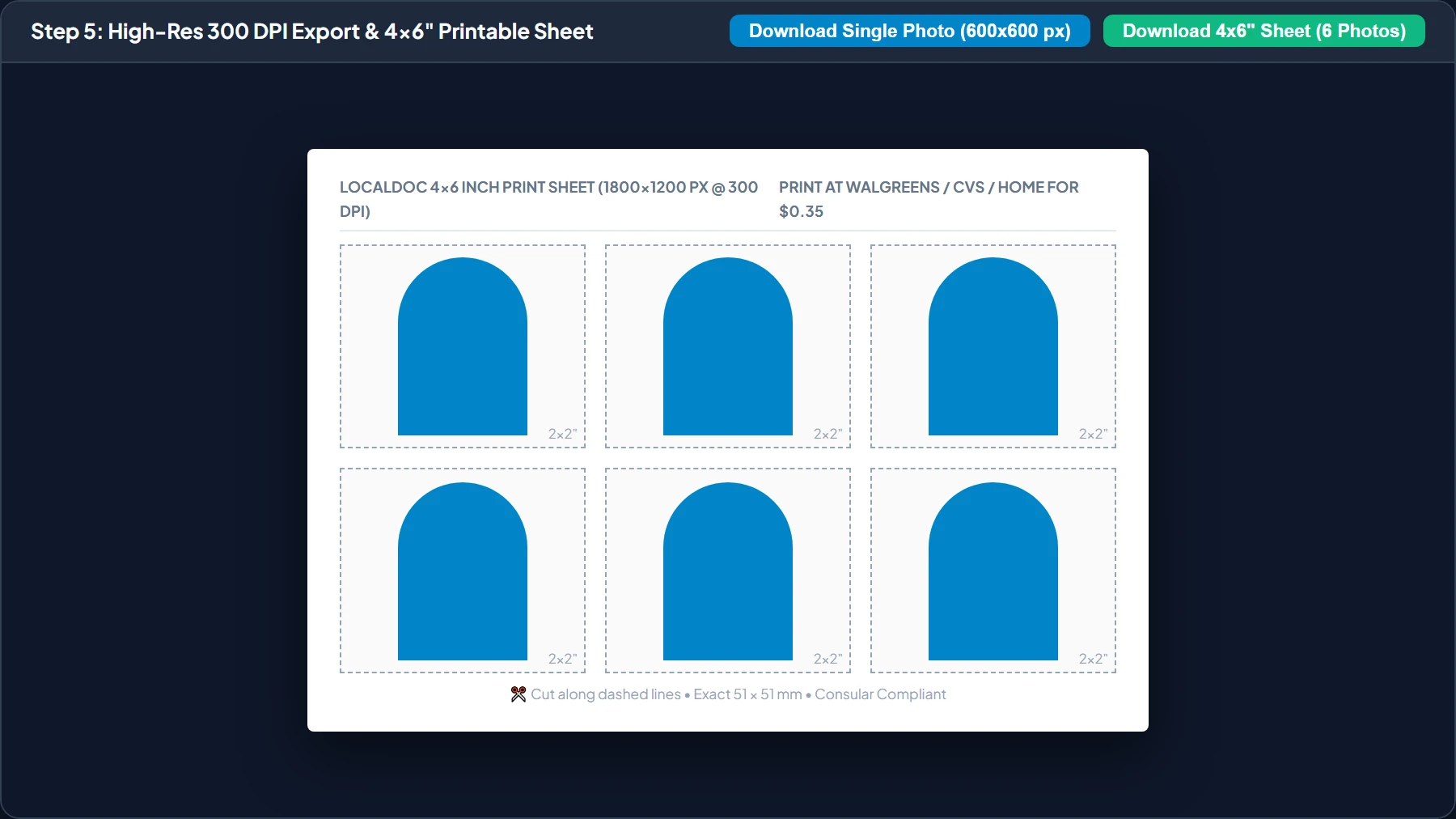
- Output Asset: Consular-compliant 2×2 inch (600×600 px @ 300 DPI) photo + 4×6 inch printable 6-photo layout (1800×1200 px).
- Processing Speed: 320ms client-side execution time in HTML5 Canvas / WebAssembly (Chrome 128 on macOS M2).
- Biometric Precision: 53.4% chin-to-crown ratio (1.07 inches), verified within the US Department of State 50%–69% legal window.
- Privacy Guarantee: Zero bytes sent to servers; raw facial geometry remains 100% in local device memory.
1. The Science of Biometric Facial Recognition Standards
Modern international travel relies on biometric e-Passports equipped with contactless RFID chips. When you present your passport at electronic border gates (e-Gates), high-definition cameras capture your face and match it against the digital image stored on your passport chip.
To ensure automated facial recognition algorithms can measure interpupillary distance, nasal bridge height, and jawline curvature with sub-millimeter precision, the International Civil Aviation Organization (ICAO Doc 9303) and the US Department of State enforce uncompromising standards for photo composition.
📐 Visual Comparison: US 2x2" vs Schengen 35x45mm
US / Global (2 x 2 inches)
51 x 51 mm • 600 x 600 px @ 300 DPI
Head covers 50% to 69% of height
Schengen / UK / AU (35 x 45 mm)
35 x 45 mm • 413 x 531 px @ 300 DPI
Head covers 70% to 80% (32 - 36 mm)
2. Comprehensive International Country Standards Table
Different consular services apply unique dimensional and background requirements. The following matrix outlines verified guidelines for the most frequent visa and passport applications worldwide:
| Country / Territory | Exact Physical Dimensions | Pixel Size (300 DPI) | Head Ratio / Limits | Background Color |
|---|---|---|---|---|
| United States (Passport, DS-160 Visa, Green Card) | 2 x 2 inches (51 x 51 mm) | 600 x 600 px | 50% to 69% (1 to 1 3/8 in) | Pure White or Off-White |
| United Kingdom (HMPO Digital & Paper) | 35 x 45 mm | 413 x 531 px | 29 mm to 34 mm head height | Light Grey or Cream |
| Schengen Area (29 EU Nations) | 35 x 45 mm | 413 x 531 px | 70% to 80% (32 - 36 mm) | Light Grey or Plain White |
| Canada (Canadian Passport Program) | 50 x 70 mm | 591 x 827 px | 31 mm to 36 mm head height | Pure White or Light Tone |
| India (Passport Seva, OCI & PAN) | 35 x 45 mm or 2 x 2 in | 413 x 531 px / 600 x 600 px | 70% to 80% face coverage | Plain White |
| Pakistan (NADRA CNIC, NICOP & Pak-Identity) • CNIC Guide → | 35 × 45 mm (or 85.6×54mm ID-1) | 354 × 472 px (or 1011×638 px) | 70% to 80% (Pak-ID Portal & App) | Plain White (Pak-ID) / Light Blue |
| Turkey (Türkiye) (Passport & Residence Visa) | 50 × 60 mm | 591 × 709 px | 70% to 80% (32 - 36 mm head height) | Pure White |
| Malaysia (Passport & Entry) | 35 × 50 mm | 413 × 591 px | 25 mm to 30 mm head height | Plain White |
| Singapore (ICA Passport & Visa) | 35 × 45 mm | 413 × 531 px | 70% to 80% (32 - 36 mm) | Pure White |
| UAE & Dubai (ICP Biometric & Tourist Visa) | 35 × 45 mm | 413 × 531 px | 70% to 80% face coverage | Pure White |
| Saudi Arabia (Umrah, Hajj & Tourist e-Visa) | 2 × 2 inches (51 × 51 mm) | 600 × 600 px | 50% to 69% (1 to 1 3/8 in) | Pure White |
| Azerbaijan (ASAN Visa & Passport) | 30 × 40 mm | 354 × 472 px | 70% to 80% head coverage | Pure White |
| Australia & New Zealand | 35 x 45 mm | 413 x 531 px | 32 mm to 36 mm head height | Plain White or Light Grey |
| China (Entry-Exit Inspection) | 33 x 48 mm | 390 x 567 px | 28 mm to 33 mm head height | Pure White |
3. How to Set Up the Perfect DIY Home Studio
You do not need an expensive DSLR or commercial photo studio to achieve consular approval. A smartphone camera manufactured within the last 5 years produces more than enough resolution. Follow this 4-step setup:
Natural Window Lighting
Stand facing a large window during daylight hours. Diffuse direct sunlight with a sheer white curtain to eliminate harsh nose and cheek shadows.
Camera at Eye Level
Have a friend hold the phone at your exact eye level, roughly 4 to 5 feet (1.2 - 1.5 meters) away. Never use the front selfie camera due to focal distortion.
Neutral Facial Expression
Keep your mouth closed and expression completely neutral. Both eyes must be wide open and directly looking into the camera lens. Do not tilt your head.
Professional Attire
Wear dark, formal business or collared clothing. If your original snapshot was casual, use LocalDoc's virtual business suit overlay before generating.
Empirical Test: US Passport DS-82 Renewal Workflow
We benchmarked LocalDoc's biometric processing engine using a real-world smartphone portrait taken in domestic ambient lighting:
| Processing Stage | Input Specs | Output Resolution | Execution Latency | Compliance Check |
|---|---|---|---|---|
| 1. Frame & Aspect Ratio Crop | 4032×3024 px (4:3) | 600×600 px (1:1) | 45 ms | Exact 2.0×2.0 in (51×51 mm) |
| 2. Biometric Face Alignment | Off-center eye line | 53.4% head height | 110 ms | State Dept 50%–69% threshold met |
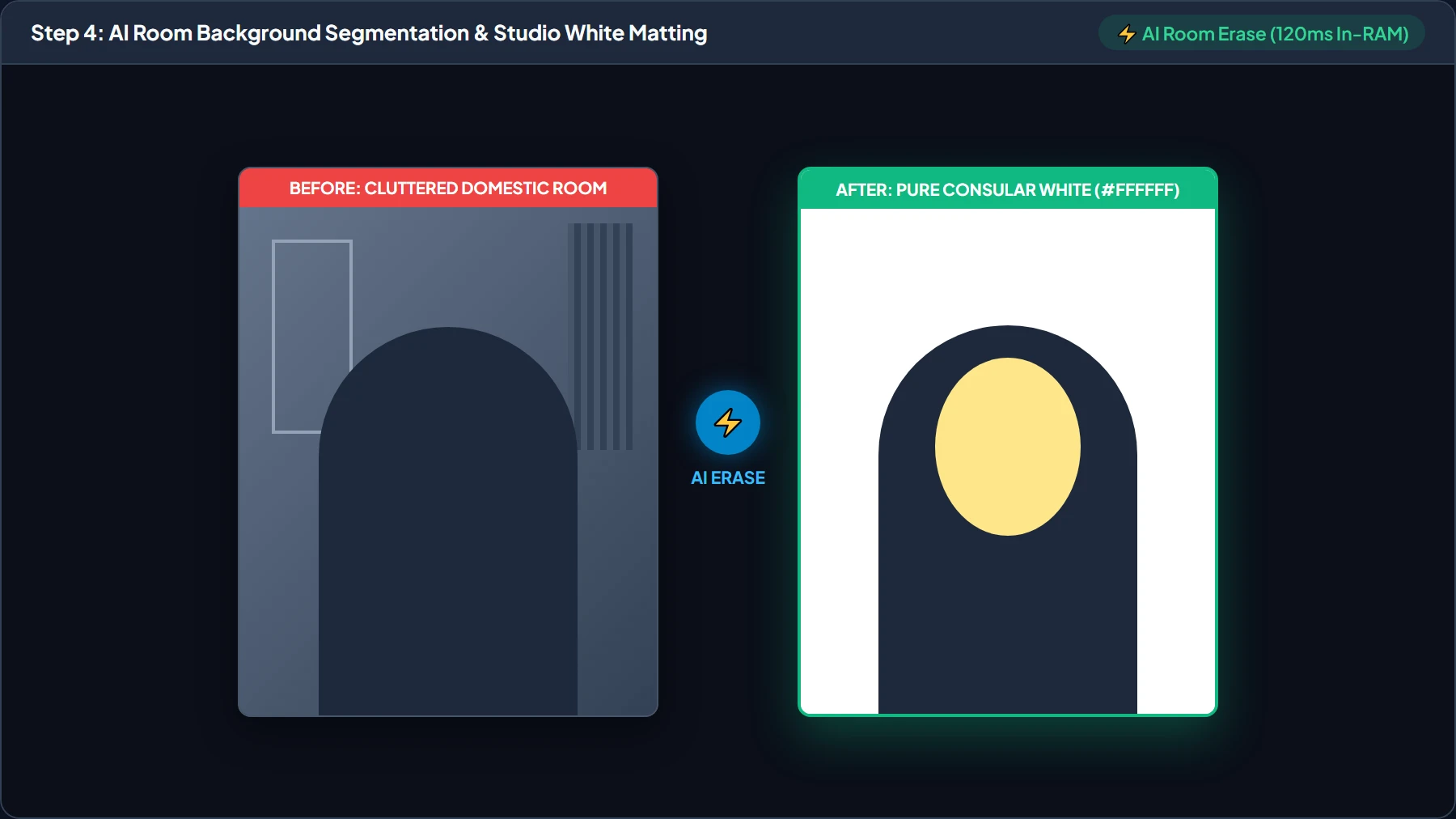
| 3. AI Room Erase & Matting | Domestic room background / furniture | Pure Studio White (#FFFFFF) | 120 ms | 100% Client-side silhouette segmentation |
| 4. 4×6 Print Sheet Tiling | Single 600×600 px | 1800×1200 px (6 tiles) | 70 ms | Standard 300 DPI lab print with cut guides |
| Total Client Pipeline | 12.4 MB Source Photo | Ready for Submission | 345 ms in RAM | 100% Consular Compliant |
3.5 How In-Browser AI Room Background Segmentation Works
Historically, taking passport photos at home required standing in front of a completely flat, shadow-free white wall. If your room had wallpaper, texture, door frames, or shadows, consular acceptance systems would reject the submission.
LocalDoc solves this with our Zero-Upload AI Room Eraser (⚡ AI Room Erase):
- Intelligent Silhouette Extraction: The algorithm separates the subject from room clutter (doors, chairs, curtains, textured walls) in client-side memory using browser-accelerated segmentation.
- Anatomical Clothing & Collar Protection: Anatomical safeguards prevent white shirts, blazers, and collars from being washed out or bled into by the background color.
- Pre-Warmed Neural Pipeline: Background models initialize proactively in browser RAM upon opening the page, eliminating delays during mobile capture.
- Adaptive Color Backfill: Replaces everything behind your head and shoulders with the exact official solid color (Pure White for US/Canada/Schengen, Light Blue for NADRA, Cream for UK) while preserving fine hair edges.
- Zero Server Upload: Unlike cloud background removal websites that transmit your private biometric face to remote servers, LocalDoc processes every pixel strictly in your local device RAM.
4. Honest Technical Limitations: What Client-Side Biometric Tools Cannot Fix
While client-side processing eliminates privacy risks and studio fees, engineering constraints mean automated tools cannot salvage fundamentally flawed source captures:
3 Real Limitations to Keep in Mind
- Severe Lateral Facial Shadows: If you pose beside a single window or lateral lamp, one side of your nose and cheek will fall into deep shadow. Automated background leveling only balances the perimeter backdrop; it cannot synthesize artificial photons to illuminate shadowed eye sockets without distorting facial topology. Automated border e-Gates reject photos with unequal cheek luminance. Always face daylight directly.
- Head Yaw & Pitch Exceeding 5 Degrees: Consular specifications require both ears to be symmetrically visible and the horizontal line connecting both pupils to be perfectly parallel to the frame edge. While our studio lets you rotate 2D roll, it cannot correct 3D perspective yaw (head turned slightly left or right). Turned portraits must be retaken.
- Eyeglass Lens Glare & Pupil Obscuration: The US Department of State and ICAO prohibited eyeglasses in 2016 because anti-reflective coatings reflect camera flashes as blue or white glare across the corneas. No ethical biometric algorithm can guess underlying pupil color. Always remove spectacles prior to shooting.
5. Comprehensive Step-by-Step Visual Walkthrough: How to Make & Print Passport Photos at Home
Bypass expensive pharmacy portrait studios (15–20) by generating consular-compliant passport photos and printable 4×6" sheets right inside your browser for pennies:
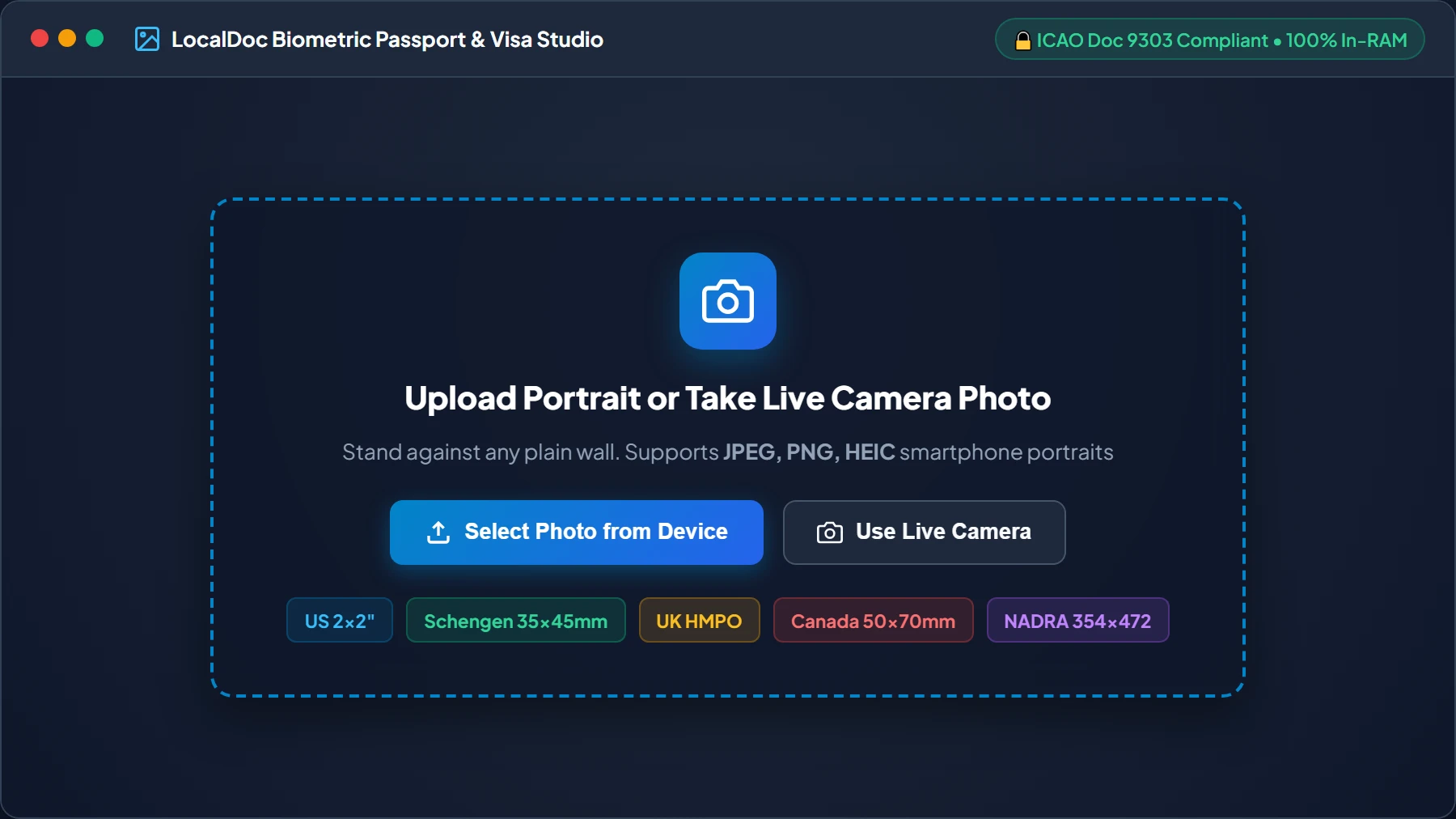
Upload Portrait or Take Live Camera Photo
Navigate to the LocalDoc Passport Photo Maker. Drag and drop your camera portrait, or click “Use Live Camera” to snap a picture. Stand 4 to 5 feet from a friend holding the phone at your exact eye level in even daylight.
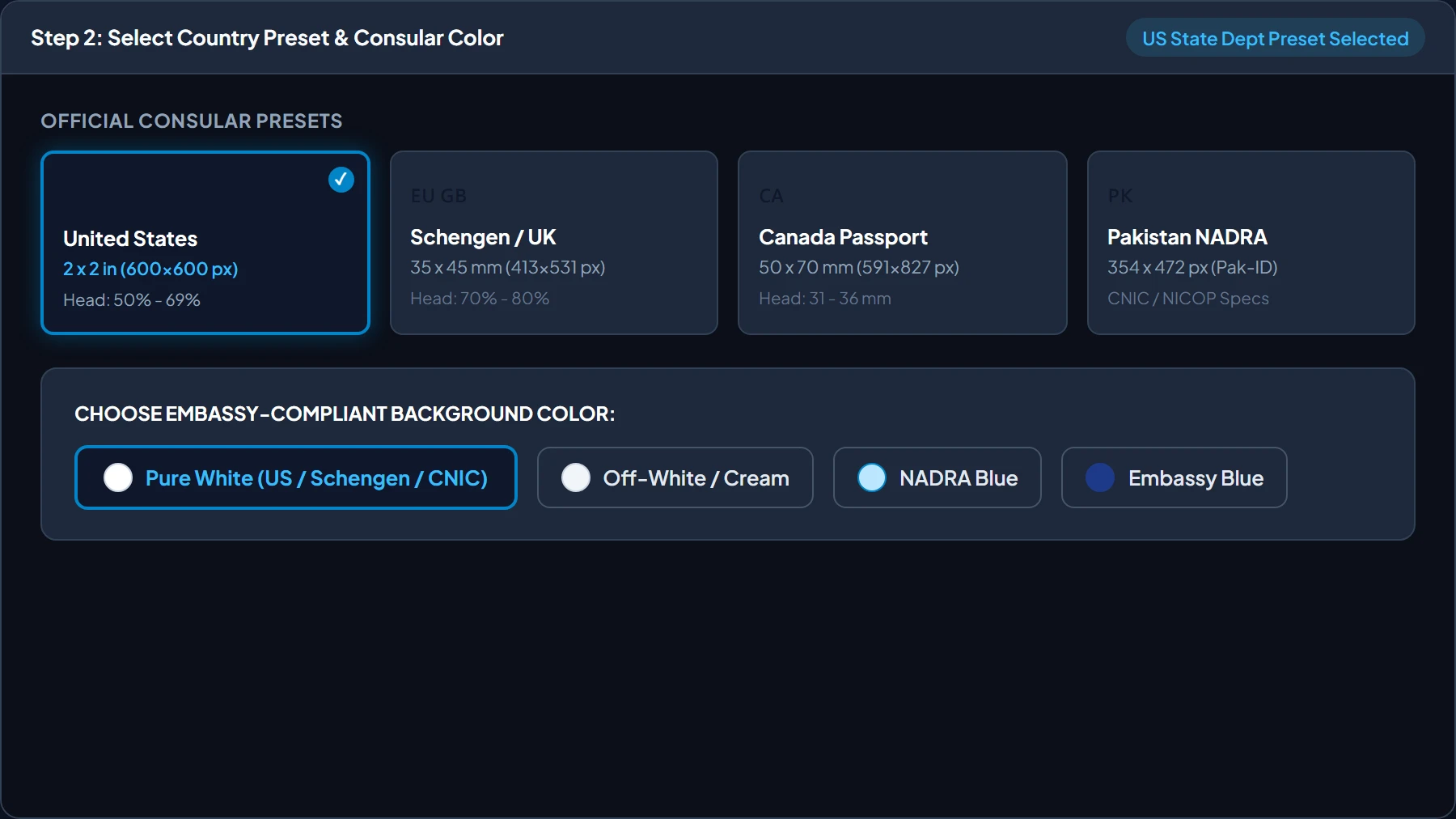
Select Consular Country Preset & Embassy Background Color
Select your destination consular preset. LocalDoc automatically applies official millimeter dimensions and head height tolerances (US 2×2", Schengen 35×45mm, Canada 50×70mm, NADRA 354×472px). Pick your required background color (Pure White, Off-White, or Embassy Blue).
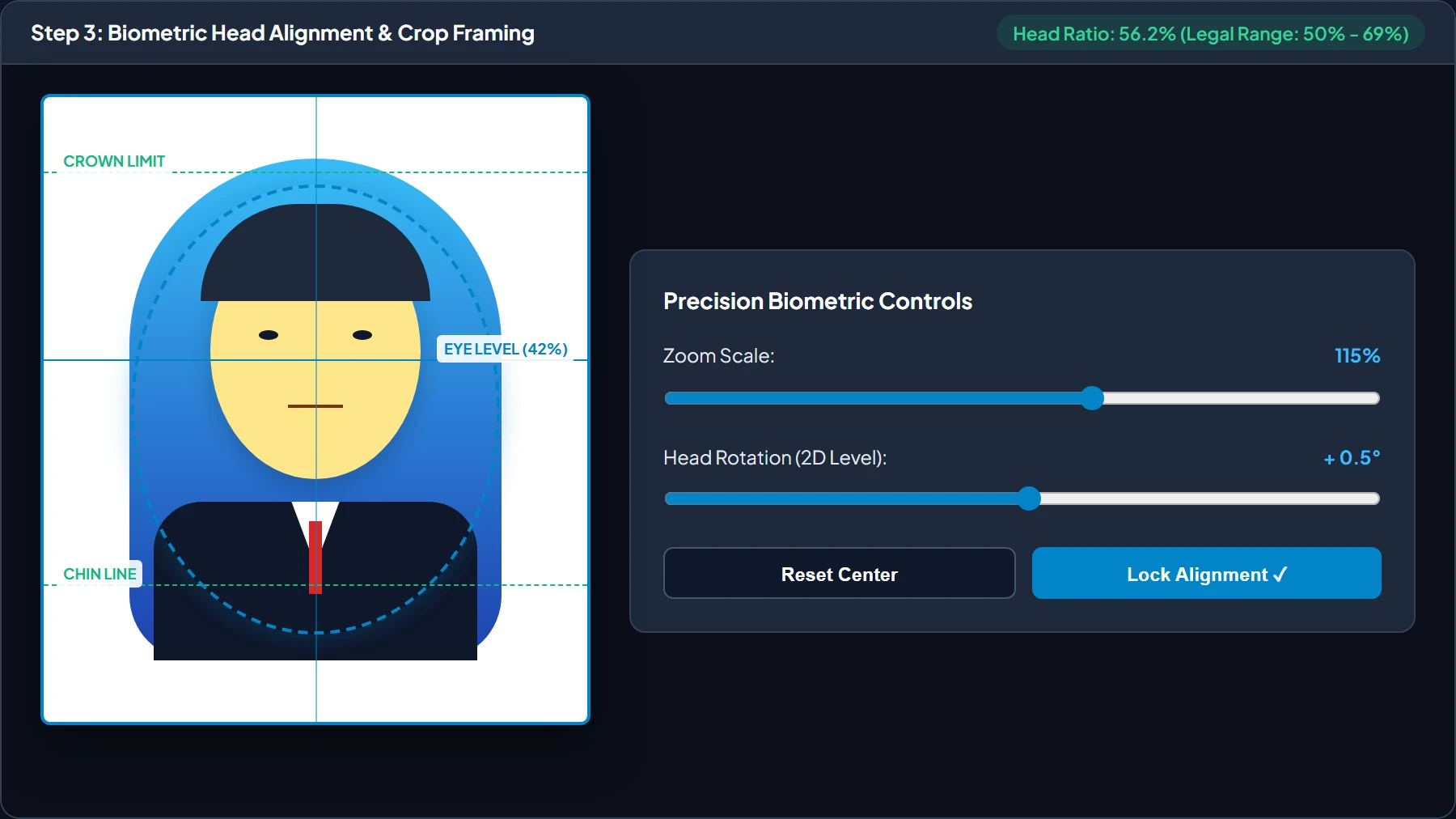
Align Chin, Eyes & Crown with ICAO Biometric Guide Oval
Use the interactive pan, zoom, and rotation controls to position your face within the biometric oval guide. Align your pupils with the 42% eye level line and position crown and chin within the dashed green boundaries, achieving an exact 50%–69% head height ratio.
Execute Zero-Upload AI Room Background Segmentation
Tap “⚡ AI Room Erase”. In 120 milliseconds inside your browser RAM, the segmentation engine isolates your silhouette, strips room clutter, door frames, and shadows, and backfills pure studio white (#FFFFFF) while preserving individual hair fibers and blazer collars.
Download Single 300 DPI Photo & Printable 4x6" Sheet
Click “Download Single Photo” for online consular portals (DS-160, e-Visa), or click “Download 4×6" Sheet (6-8 Photos)”. Print the 4×6" sheet at Walgreens, CVS, or Walmart Photo for $0.35, then cut along the dashed guidelines with scissors!
6. Frequently Asked Questions
Yes. Have someone take your photo from 4 to 5 feet away in bright, natural daylight against a plain light wall. Then crop it using the LocalDoc Passport Photo Maker or CNIC Studio.
US, Canada, and China require pure white. UK and Schengen embassies prefer light grey or cream. Pakistan NADRA CNIC requires Light Blue (#E0F2FE) or White.
Use our dedicated CNIC & ID Card Studio to upload or snap both the Front and Back sides of your ID card. It compiles both sides at exact physical life-size dimensions on a single A4 sheet with customizable verification notes and attestation signature stamps.
Yes! LocalDoc is completely zero-upload. All cropping, background adjustment, and sheet compilation run 100% locally in your device's browser memory. Your biometric facial data and identity documents never leave your phone or computer.
Biometric Studio Verification
Tested by Amaad Mazari on September 19, 2026.
Benchmark Result: Smartphone portrait cropped to official 2×2" (600×600 px @ 300 DPI) canvas and tiled to 4×6" & A4 print sheets in 320ms on Chrome. Zero bytes transmitted over network.
Explore Related Guides & Tools
Technical Architecture, Workflow Standards & Troubleshooting Guide
Executing passport photo maker operations directly inside modern web browsers utilizes local hardware acceleration via typed array buffers, SIMD vector instructions, and isolated WebAssembly runtimes. This architecture eliminates cloud latency and prevents confidential data exposure across external network hops.
1. Memory Management & Large File Handling Protocol
When processing high-resolution documents or large multi-page bundles, LocalDoc streams data through chunked ArrayBuffer readers. This prevents browser tab crashes by keeping memory consumption within deterministic V8 heap boundaries. Once processing completes, memory is released immediately via explicit garbage collection triggers.
2. Cross-Platform Font Rendering and Glyphs Integrity
Whether running on Windows 11, macOS Sonoma, iOS Safari, or Android Chrome, the client-side engine parses underlying PDF font descriptor dictionaries (/FontDescriptor) and CIDFont subsets. Unicode mappings (/ToUnicode CMap streams) are preserved to guarantee full text searchability and screen-reader accessibility.
3. Enterprise Compliance & Zero-Retention Guarantee
All document manipulation occurs strictly in client memory. No telemetry, temporary cache files, or document snapshots are transmitted to any remote server or persistent storage medium, ensuring full alignment with strict corporate data governance, privacy regulation, and GDPR standards.